

Type three letters, the page appears
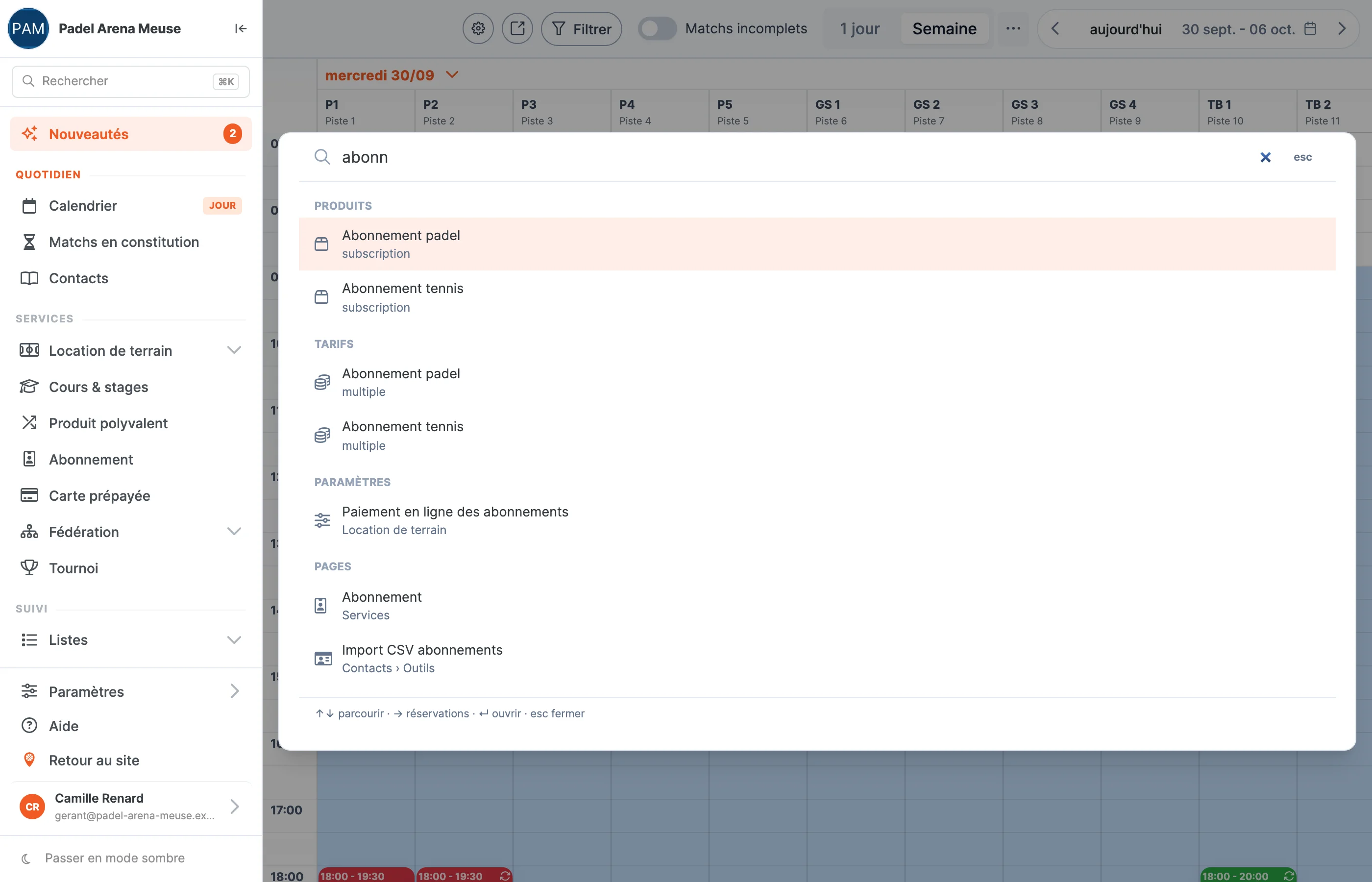
A player on the phone, a question about their membership, and the setting you have to dig out of the menu: that is daily life at the front desk. The back office now has a search bar that finds everything, from any screen.
What your club gains
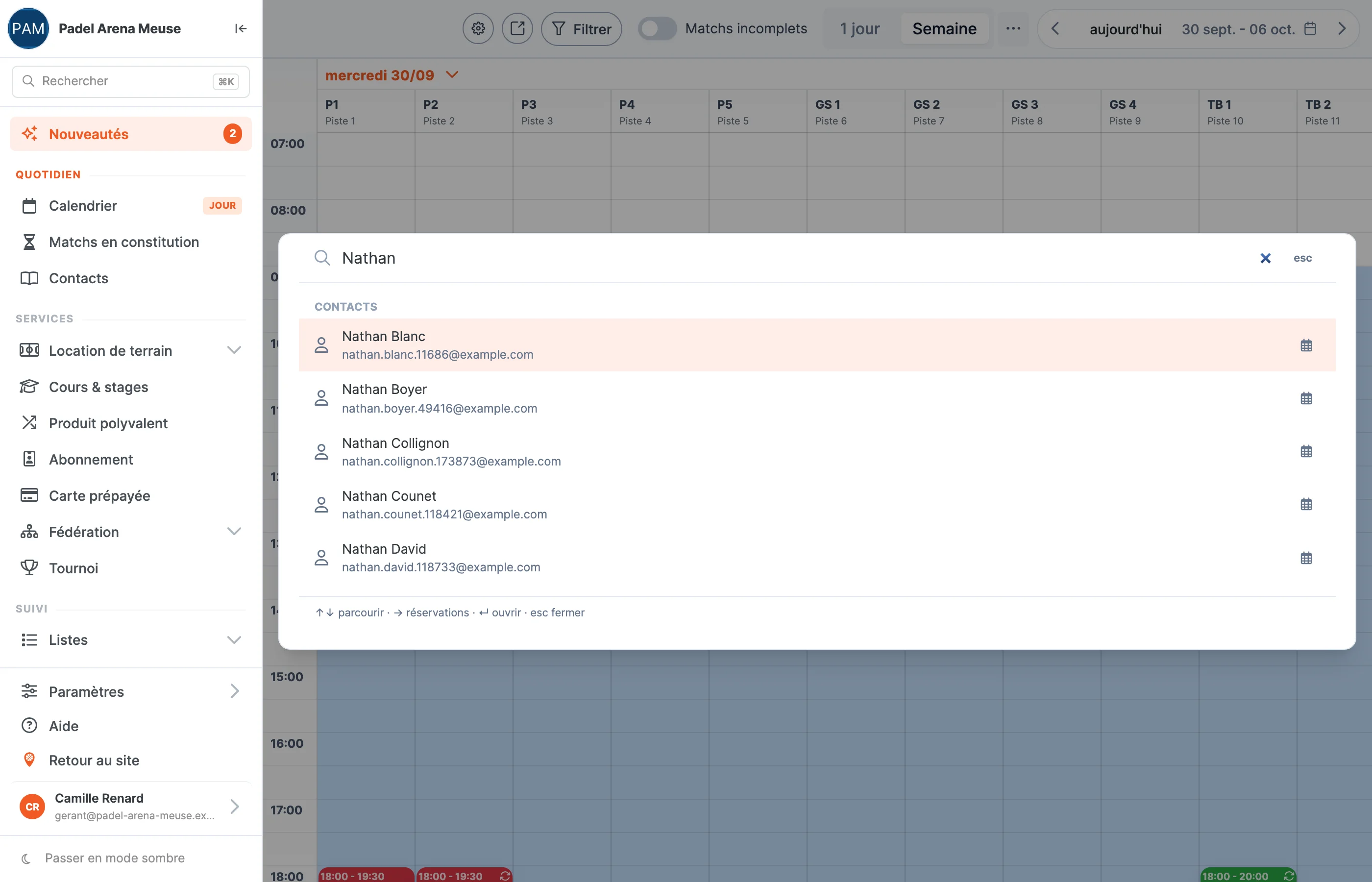
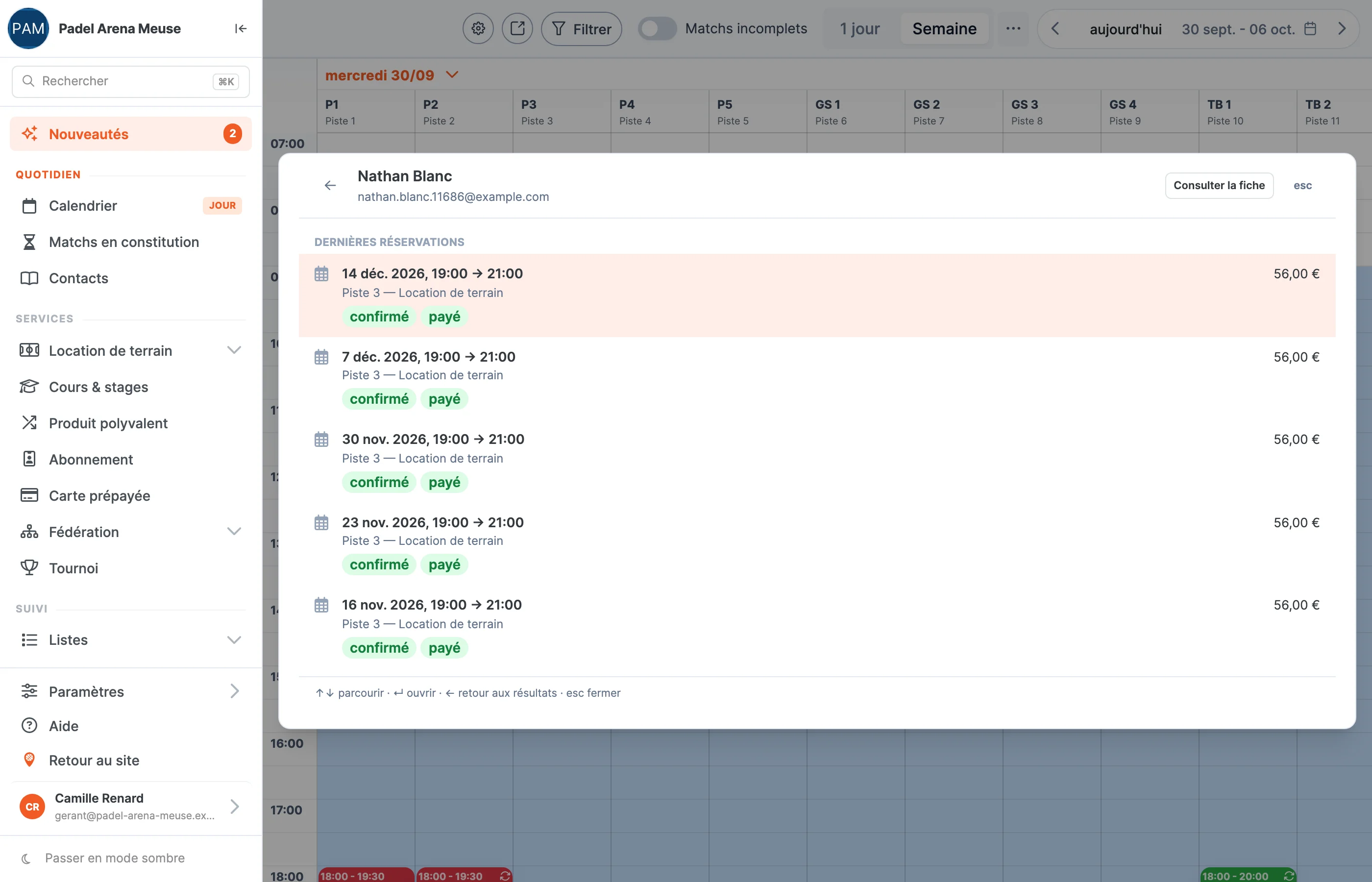
- Time saved at the front desk. A customer’s name brings up their latest bookings, without opening their record.
- No need to know the menu by heart. The bar finds pages, including those the menu folds away, and the booking settings themselves.
- A date, and the calendar opens. Type a date: the calendar opens on that day.
- Faster help. Every setting has its own link. When you ask us a question, we send you the link to the right setting, not a path to follow through the menu.
In three screens
The bar opens over the current screen: click “Search”, or press Ctrl + K on the keyboard (⌘ + K on a Mac). Screenshots taken on our demonstration club.
See the back office for real
In a demo, we show you the software on your own club: your courts, your prices, your settings.
Book a demo