

Your students sign up, you compose the groups
Holiday camps, group lessons, private lessons: your families sign up and pay from their phone. You stay in control of groups, instructors and courts — in the software that already runs your club.
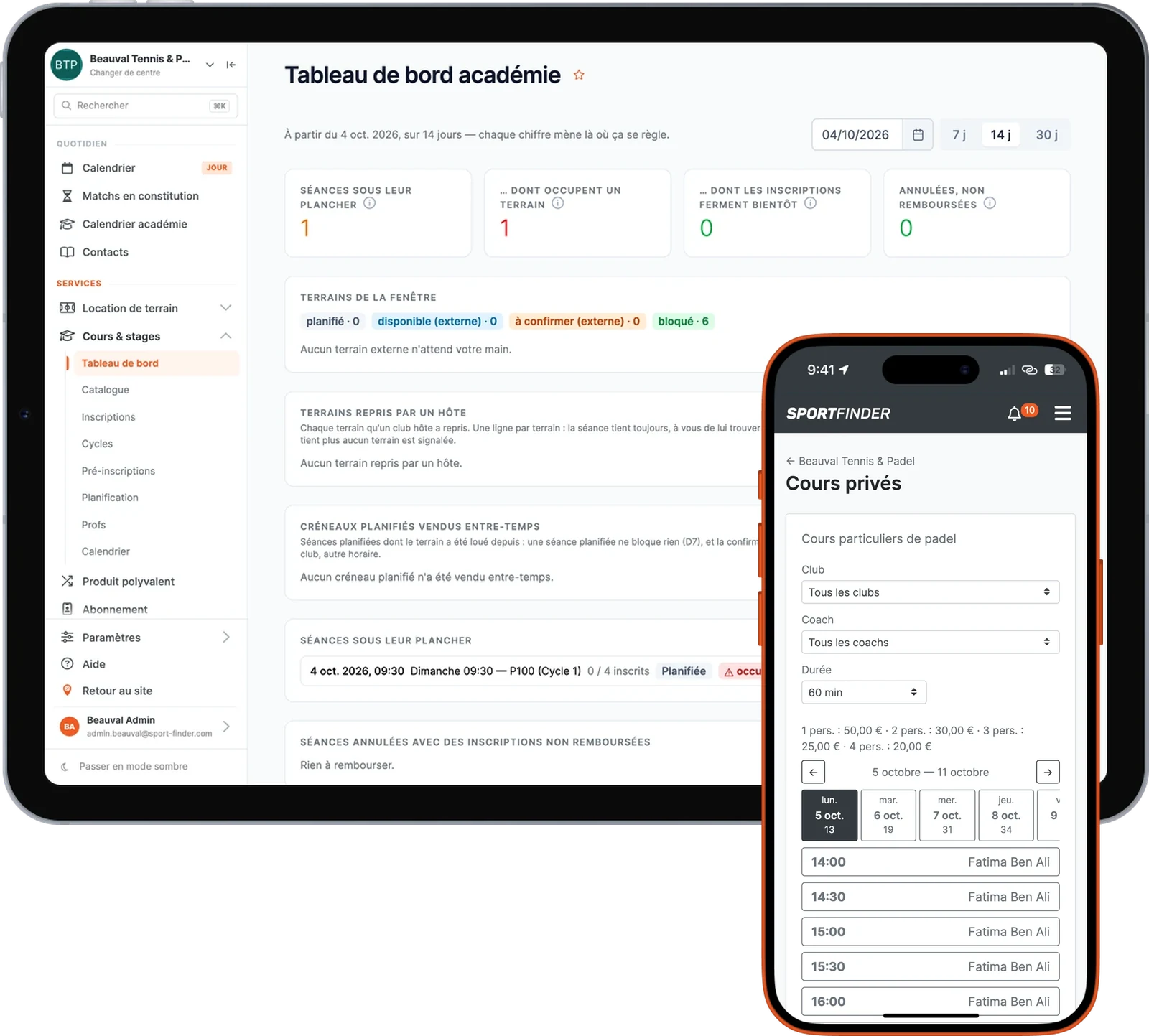
From the two-coach club to the multi-club academy
The club with one or two instructors
A few groups, a camp every school holiday, entries paid online. Not one more piece of software: the club’s own software can run lessons too.
The growing academy
Dozens of groups, several instructors, hundreds of students. Demand is read before you compose, and groups are made in a few hours.
The multi-sport club
Tennis and padel, children and adults, a single catalogue and a single calendar — which is also the rentals calendar.
The academy that teaches elsewhere
Your groups in one place, and the calendar draws the courts of every club where you teach.
What your students experience
Choose what you sell. Each journey is played on our demo club, from the first screen to the confirmation.
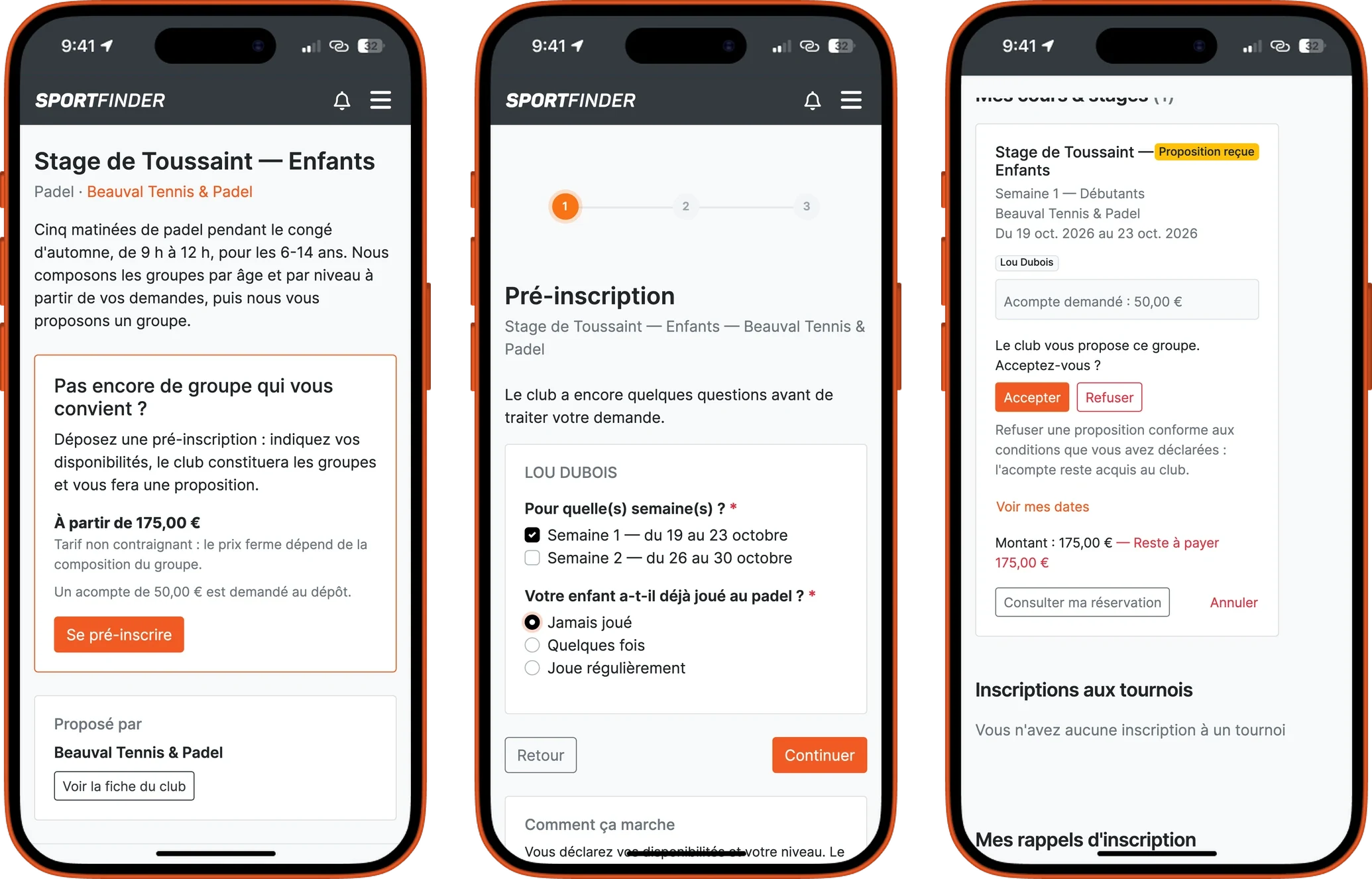
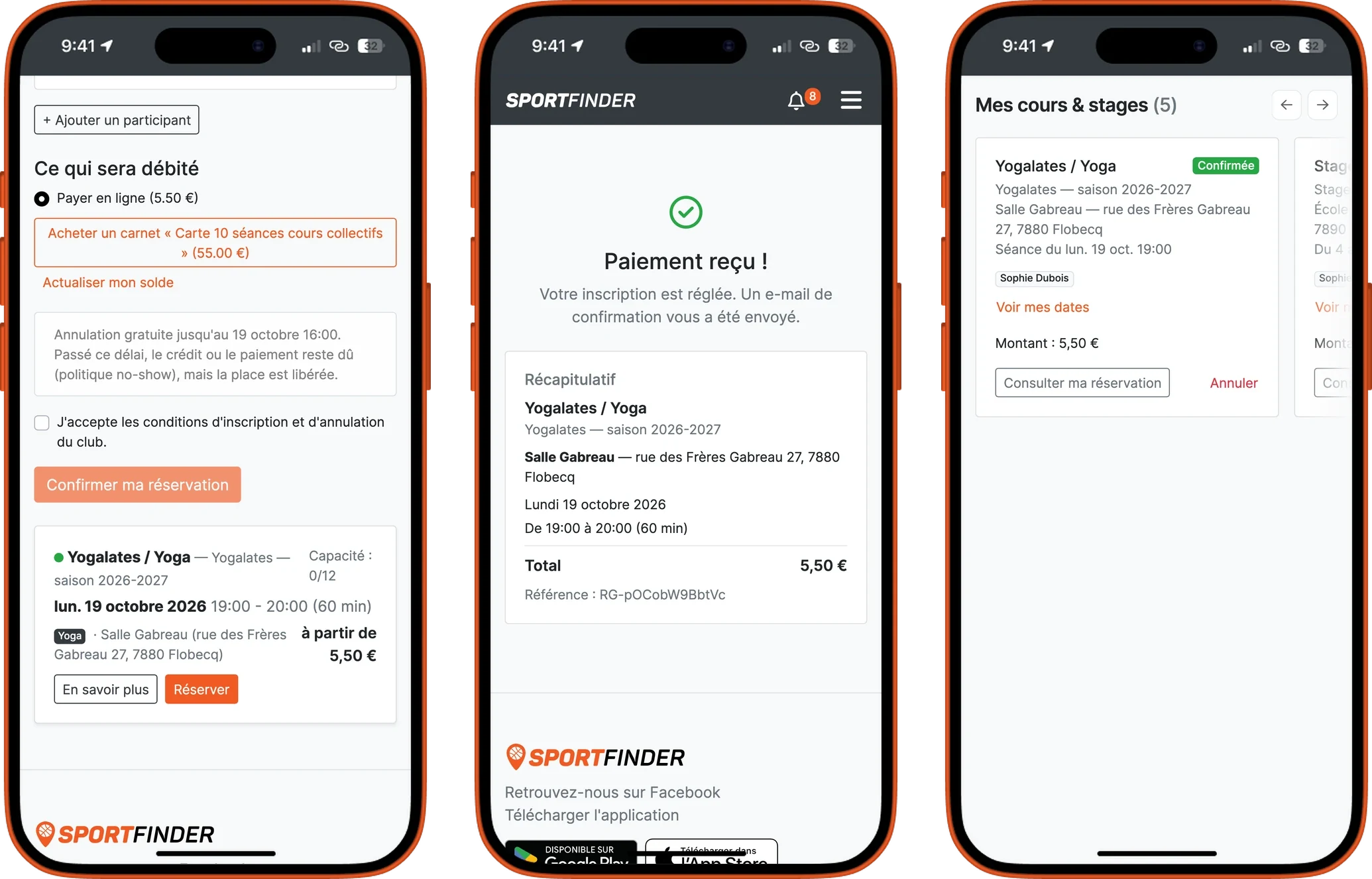
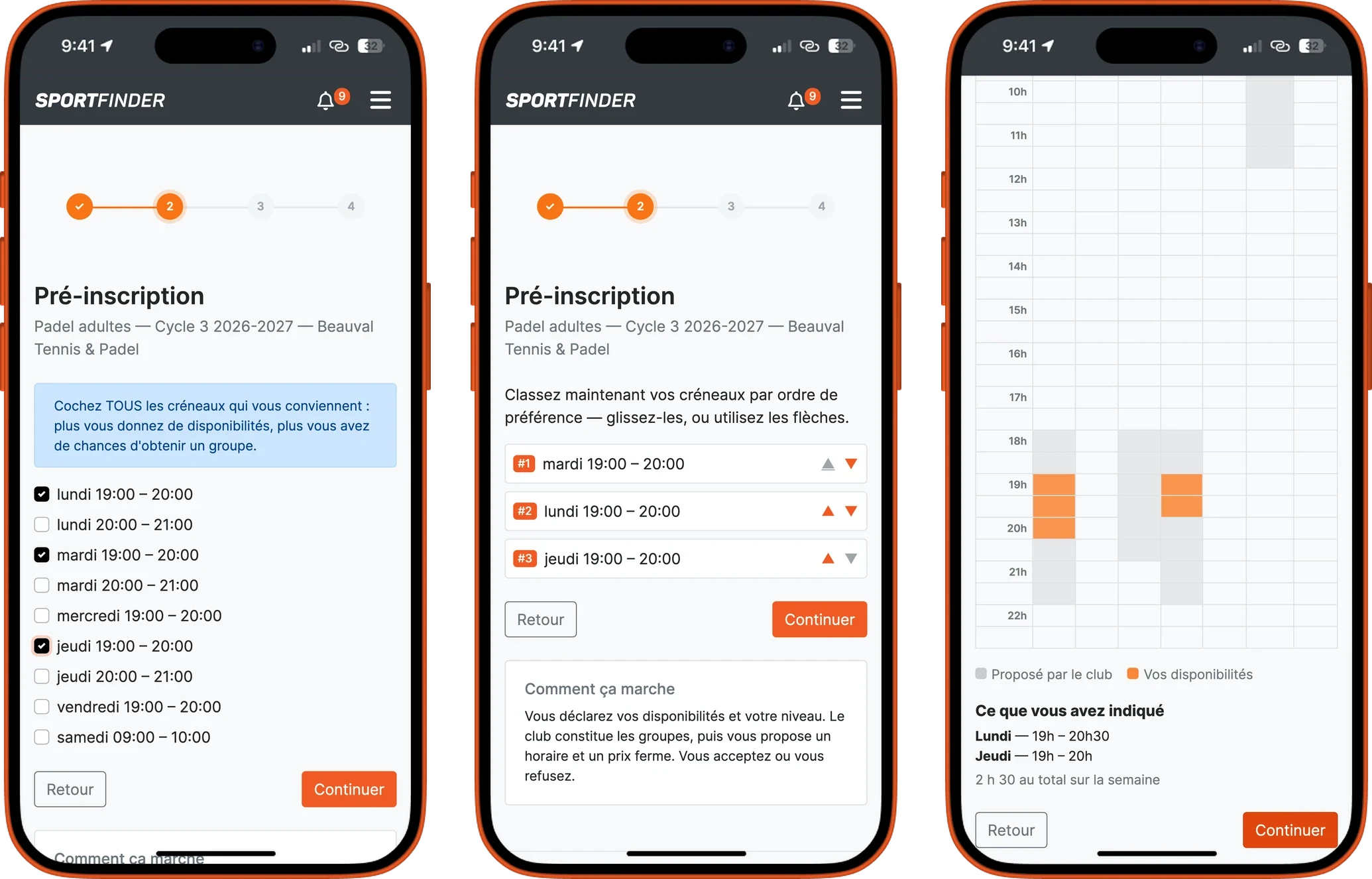
The family chooses its week and answers your questions. You compose the groups; the family receives its offer and accepts it in one click.
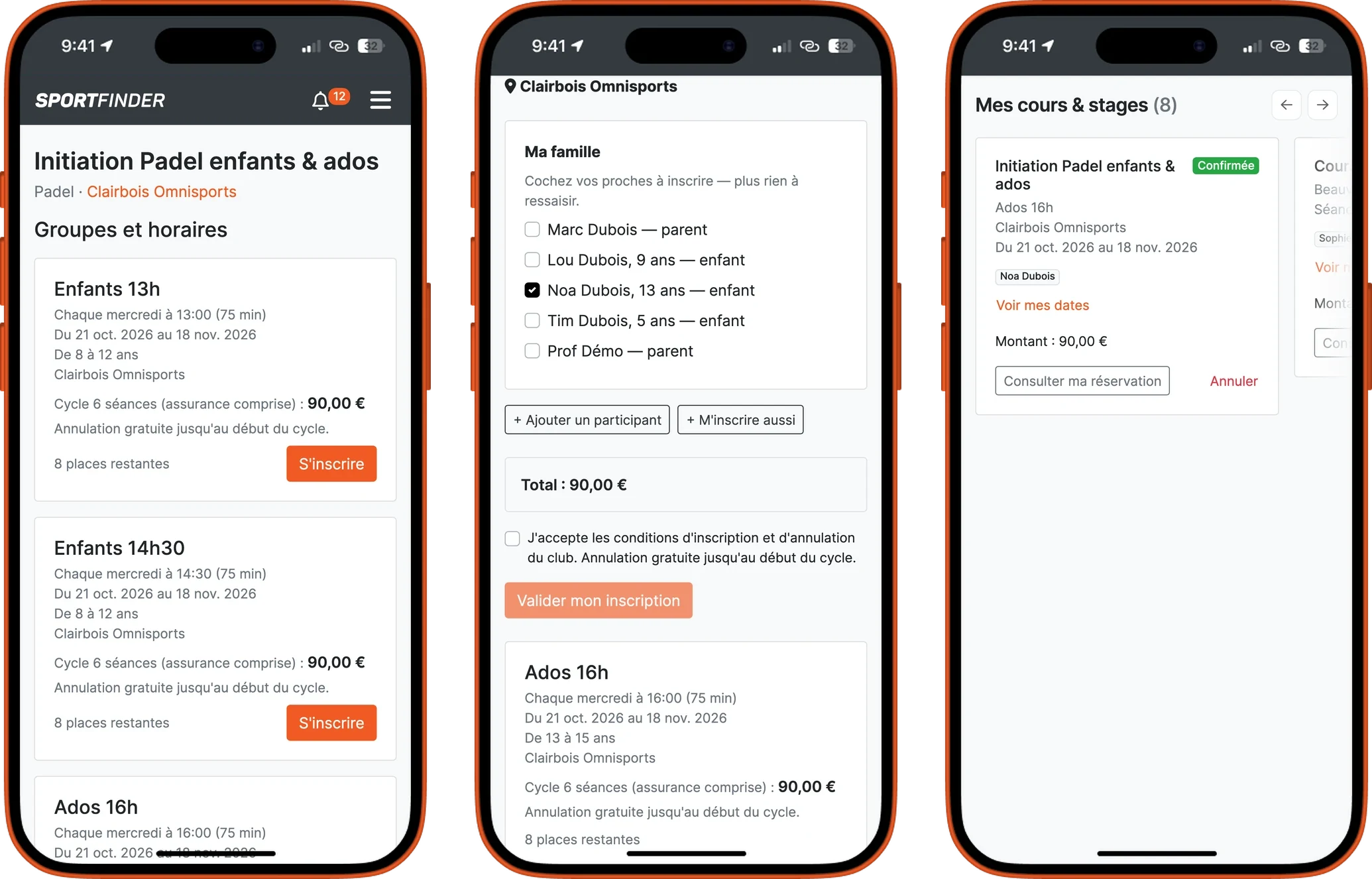
The parent signs their child up from their own account, with no email address to invent for a nine-year-old, and pays online.
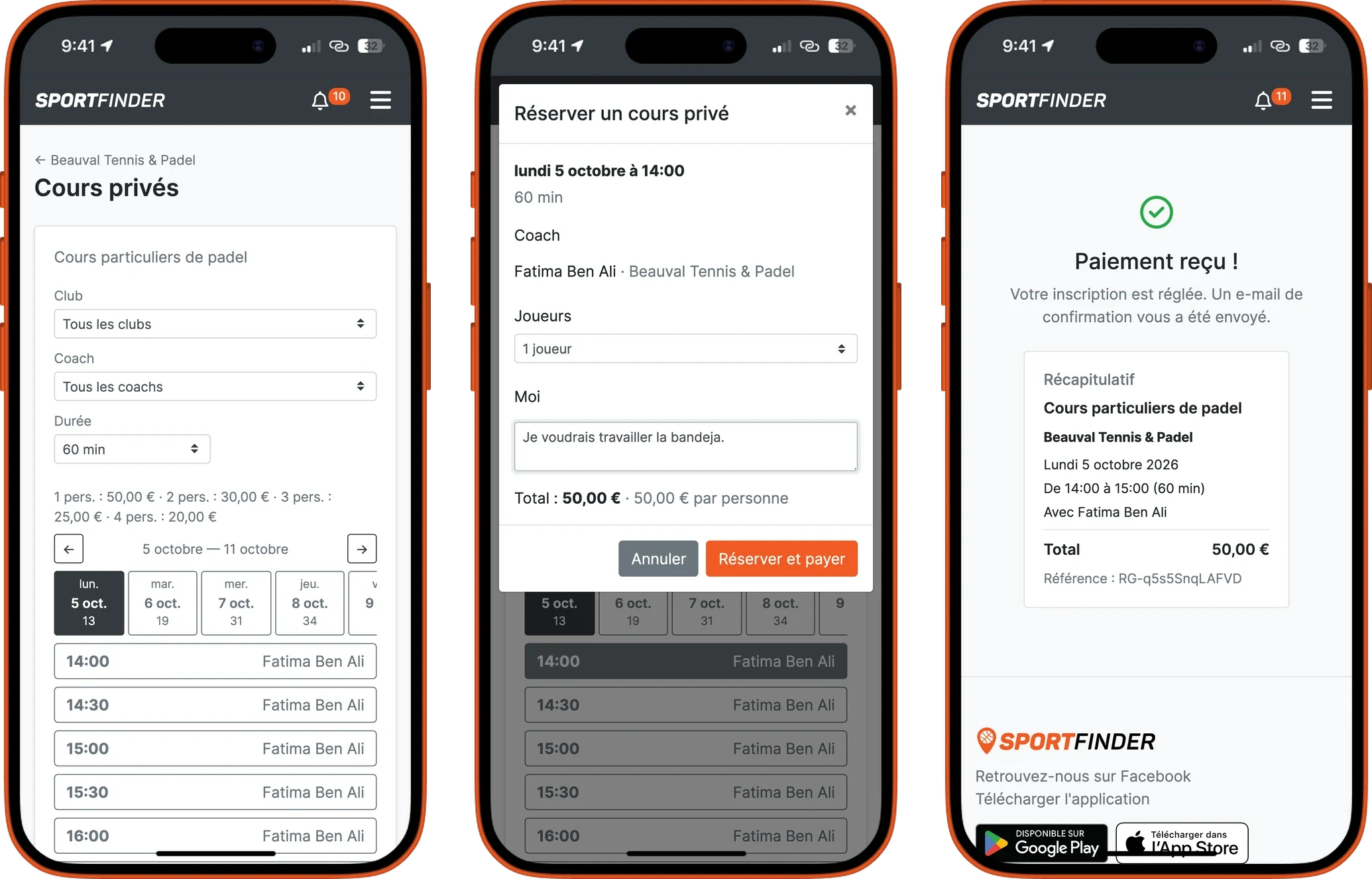
The player chooses their coach, their time and the duration. A slot only appears if the coach is available and a court is free.
To try before committing: a single session, paid online or deducted from a prepaid card.
Before any group exists, the player ticks the slots that suit them and ranks them. Or they paint their week, if you open free ranges.
- Everything in one place: in “My courses & camps”, the player sees their dates, their balance, the offer to accept, and can cancel within the deadlines you set.
- Emails go out on their own: registration confirmation, session reminder, and “Your lesson is confirmed” as soon as the lesson has its numbers, its court and its instructor.
- The dates go into their calendar: one link adds every session to the calendar on their phone.
Everything an academy sells
Courses over a season
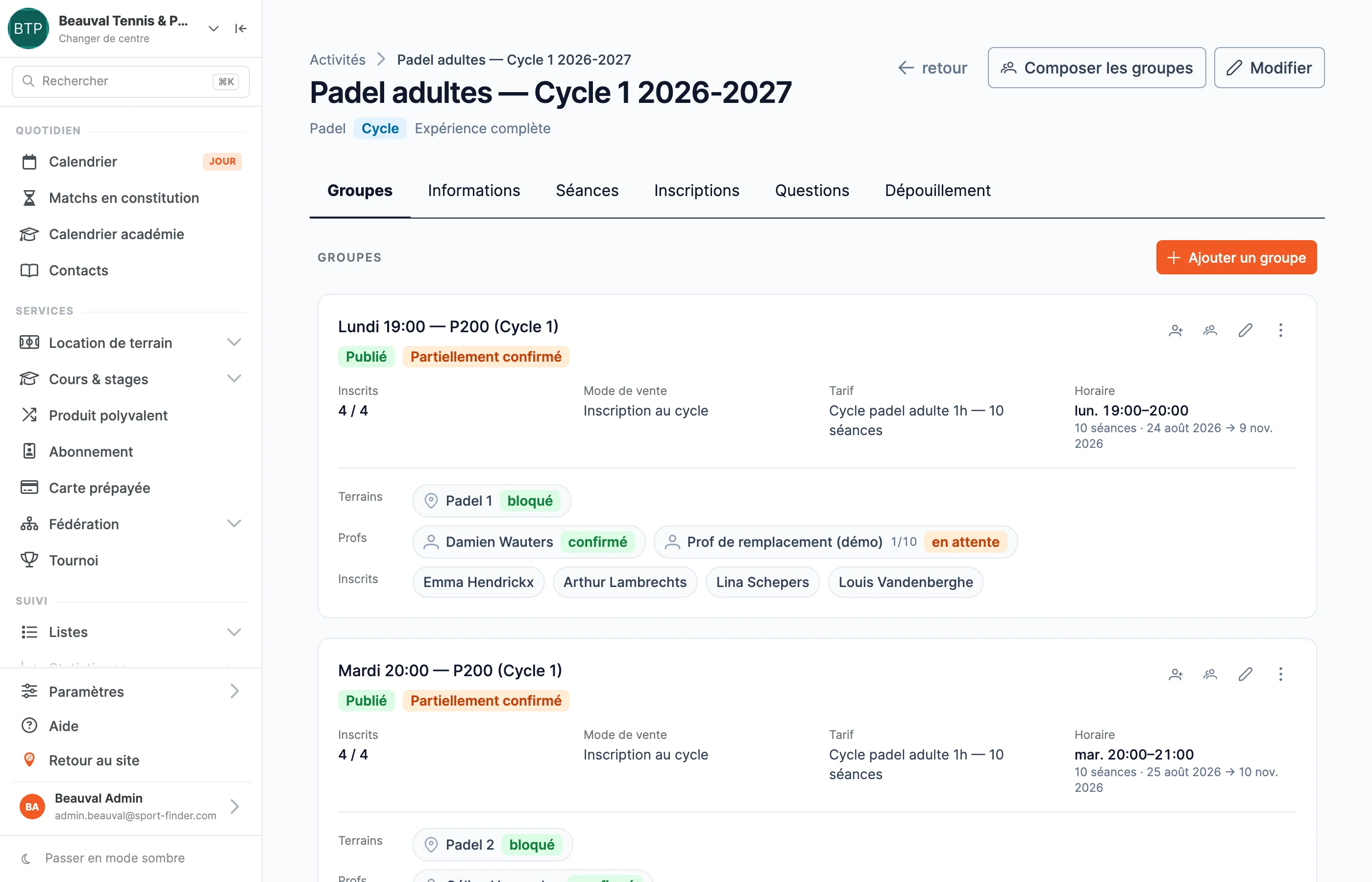
A group, a time slot, sessions that roll out on their own. You describe the rhythm once — Tuesdays at 19:00, for so many weeks — and then move a single session whenever you need to.
Holiday camps
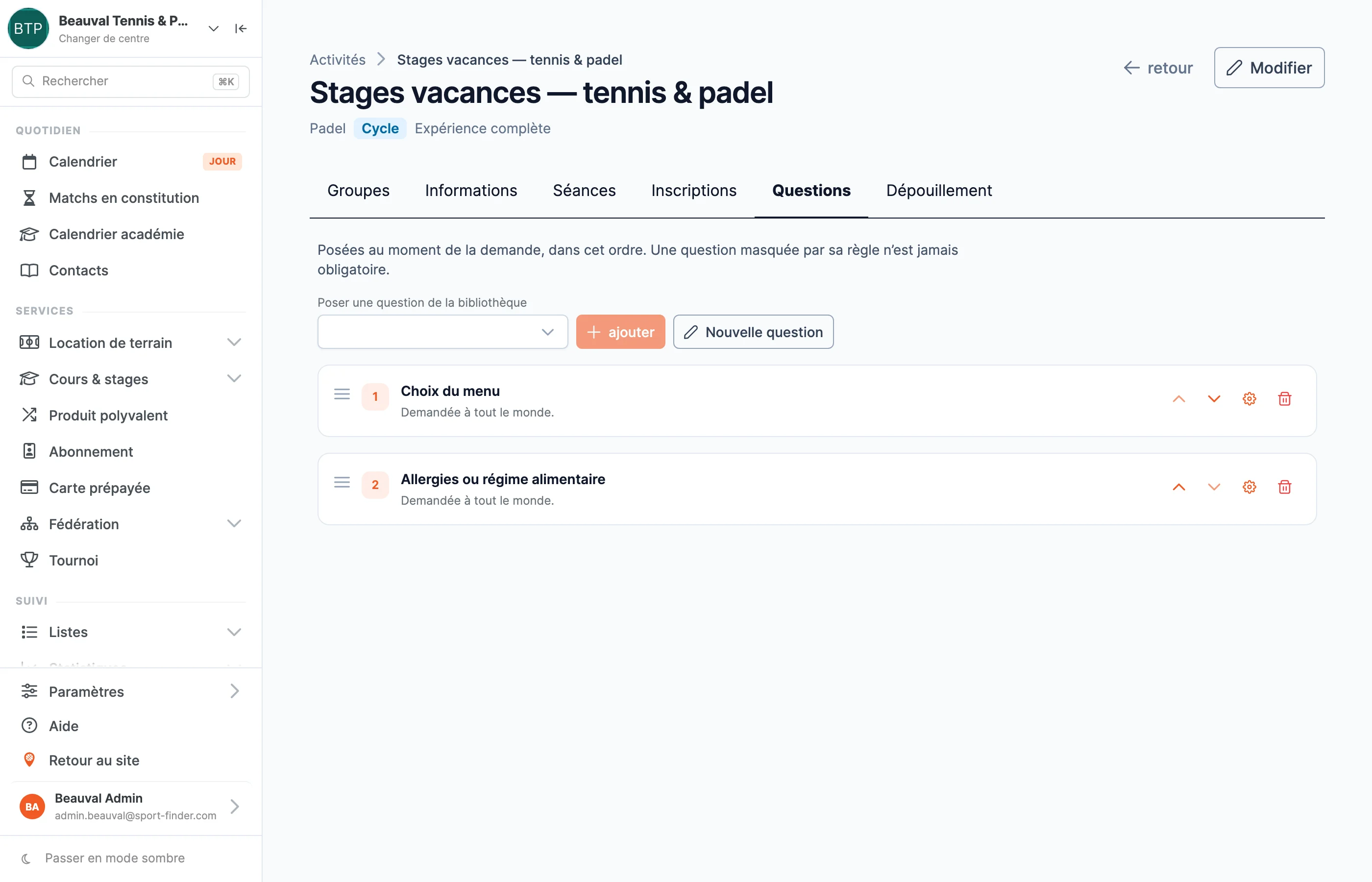
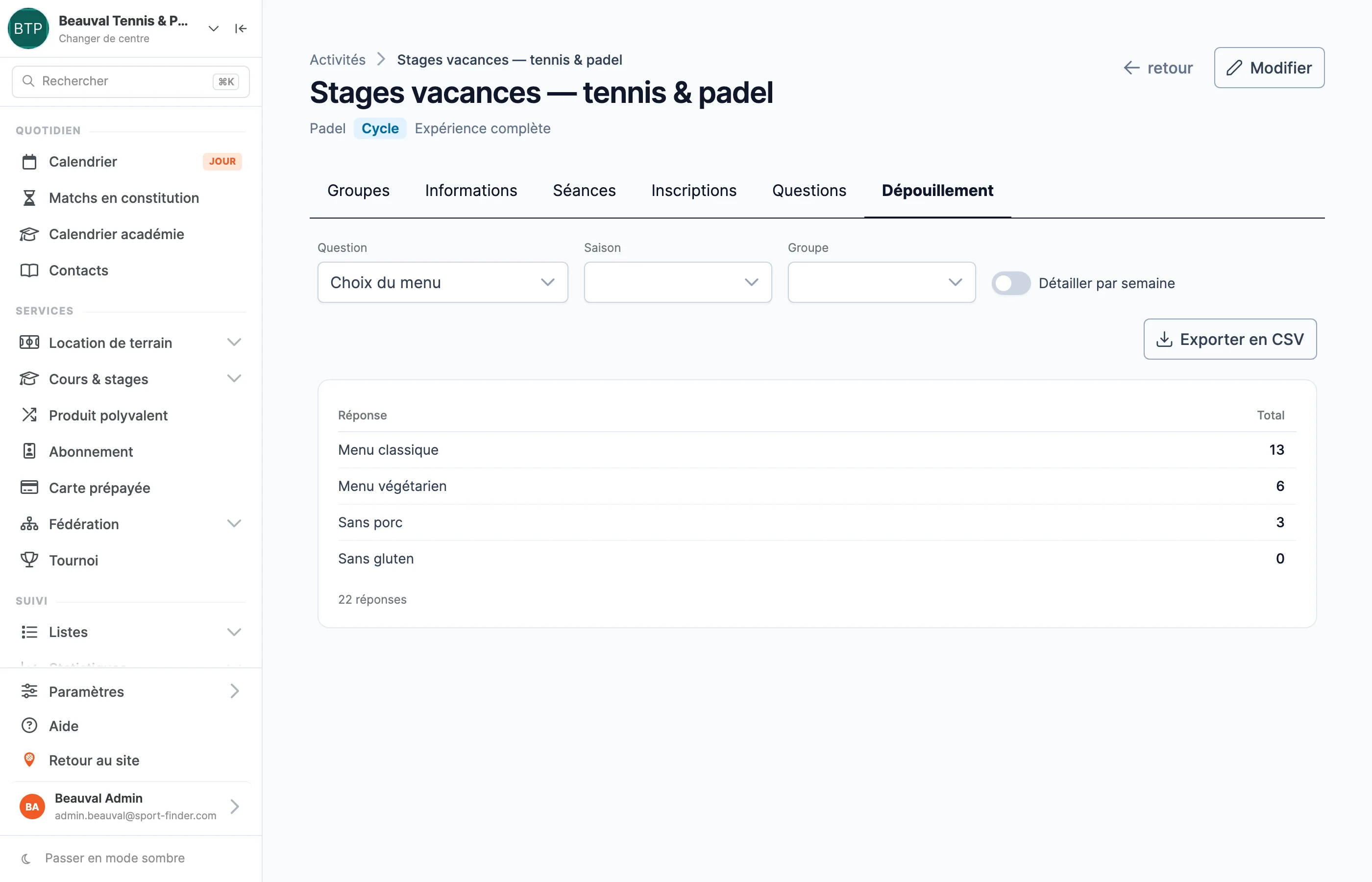
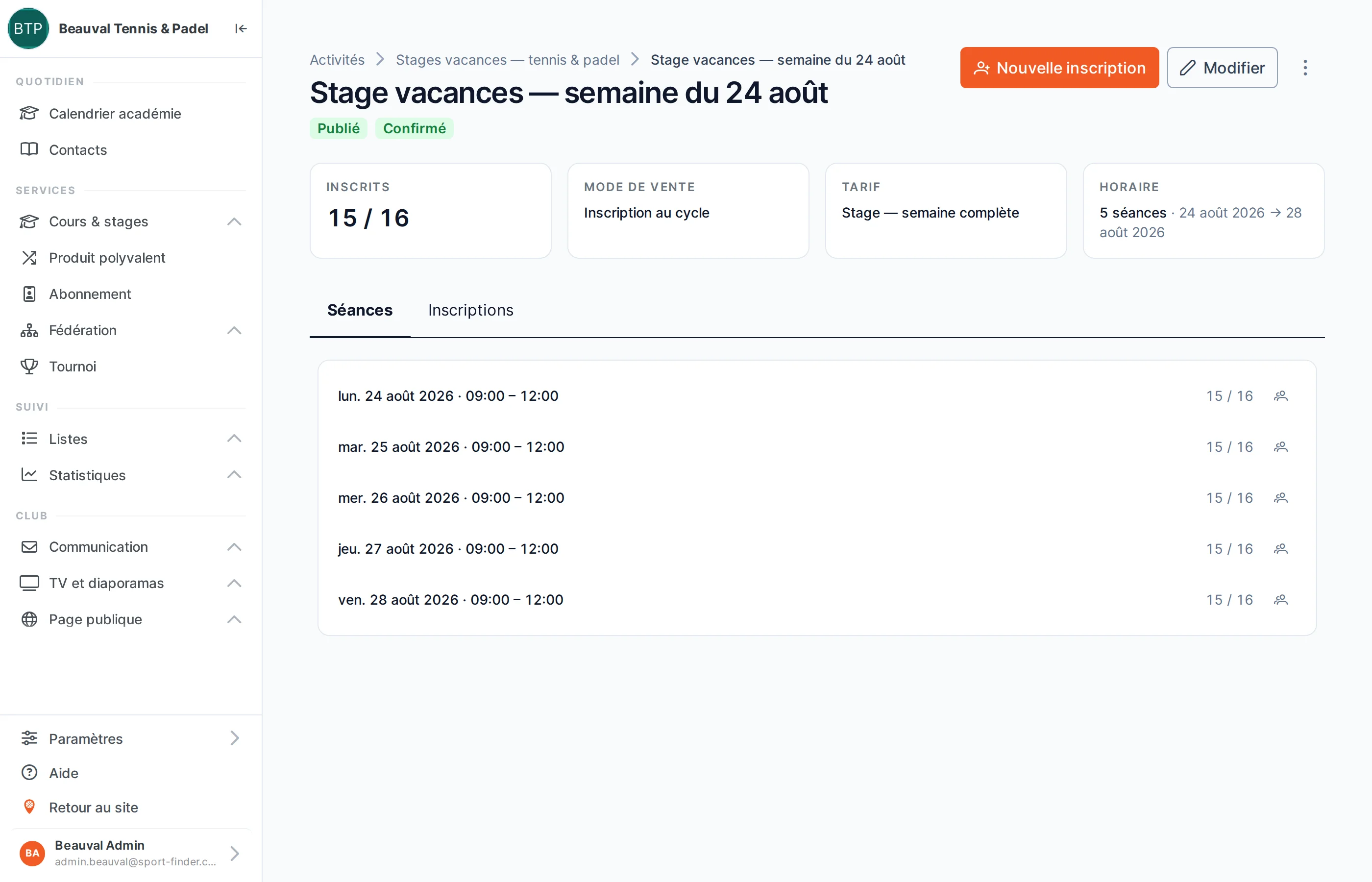
Mornings or full days over a week, questions at sign-up, and groups composed afterwards, by week, by age and by level.
Private lessons
Booked online by the player, with the coach of their choice, for the durations you offer, alone or with others — at the price per person you set.
Single sessions
For a taster lesson, a catch-up, or clubs that sell by the session: paid online, or deducted from a prepaid card.
Front-desk registrations
The parent who drops by reception, the lesson booked over the phone: you enter it yourself, and a payment link goes out if needed.
A simple showcase
Not ready to sell online yet? Your lessons still appear, with a button to call you, email you, or go to your own page.
Payment by card, Bancontact or the credit the player holds at your club; a deposit at pre-registration if you wish; prices by age, by municipality or by group size.
A season in five moves
You gather demand first, and compose afterwards. No more slicing your timetable by age and level and hoping registrations land in the right boxes.
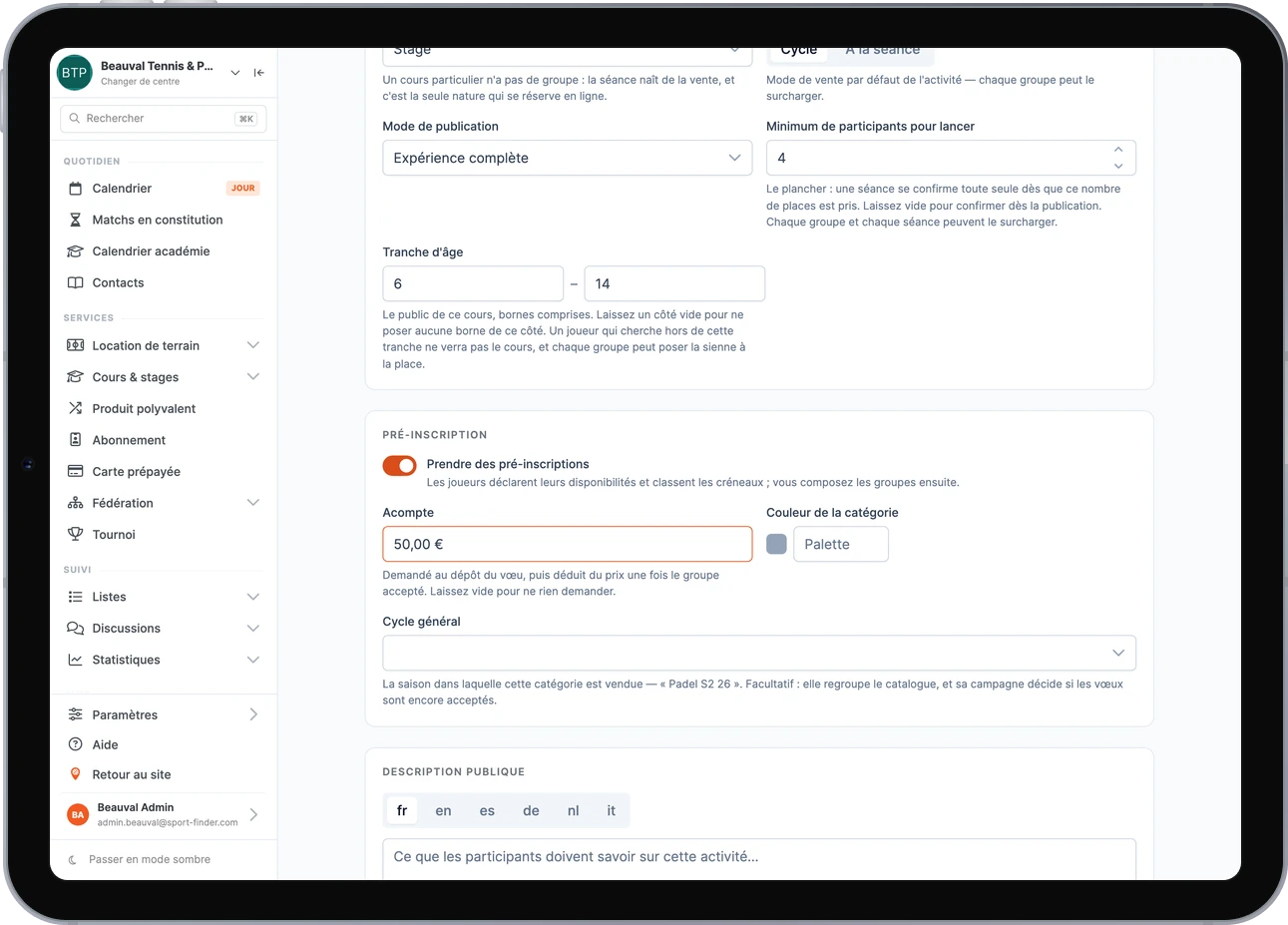
You open requests before you have a single group, with or without a deposit, and you ask your own questions.
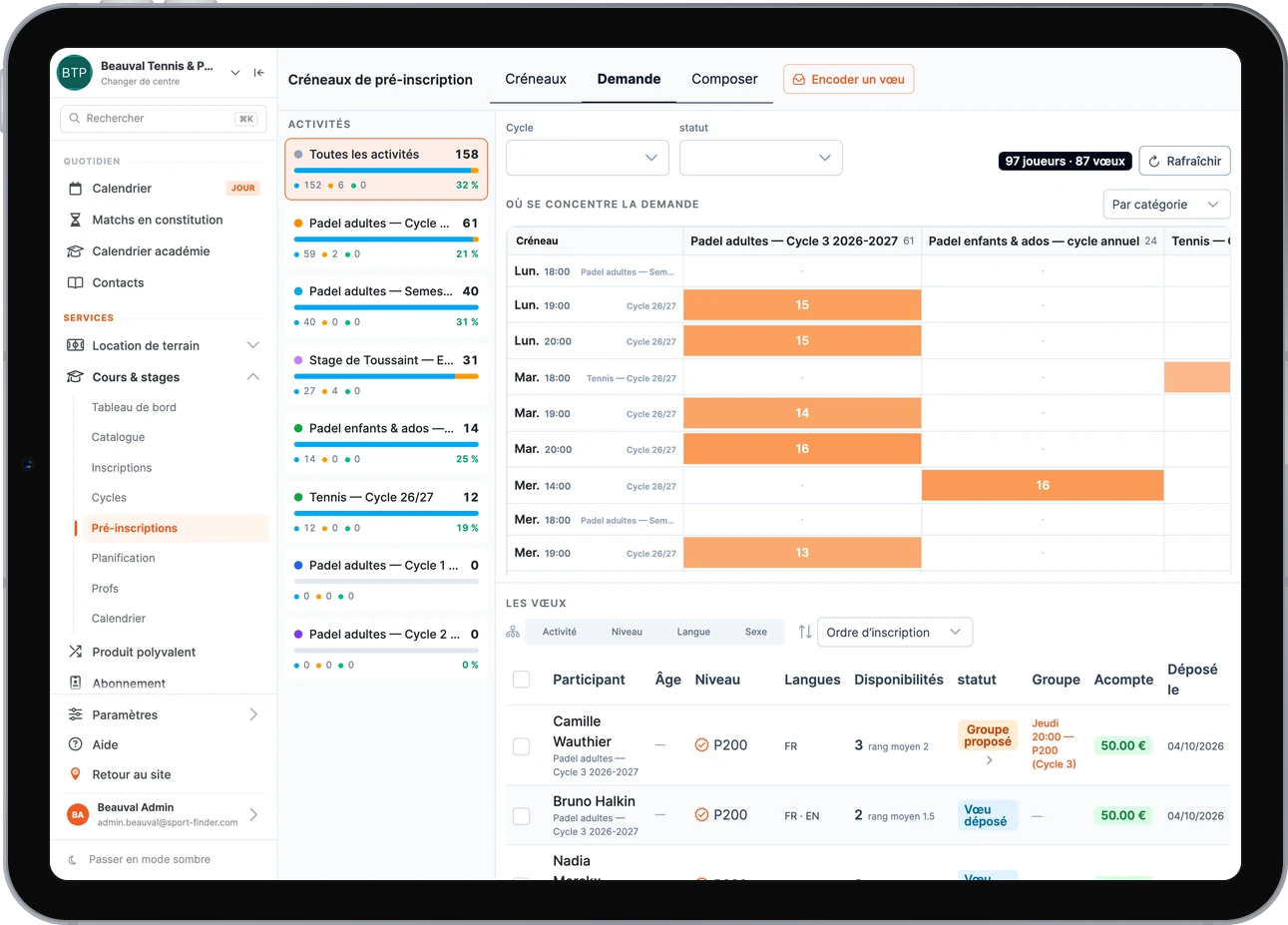
Before fixing anything: how many players want each slot, category by category.
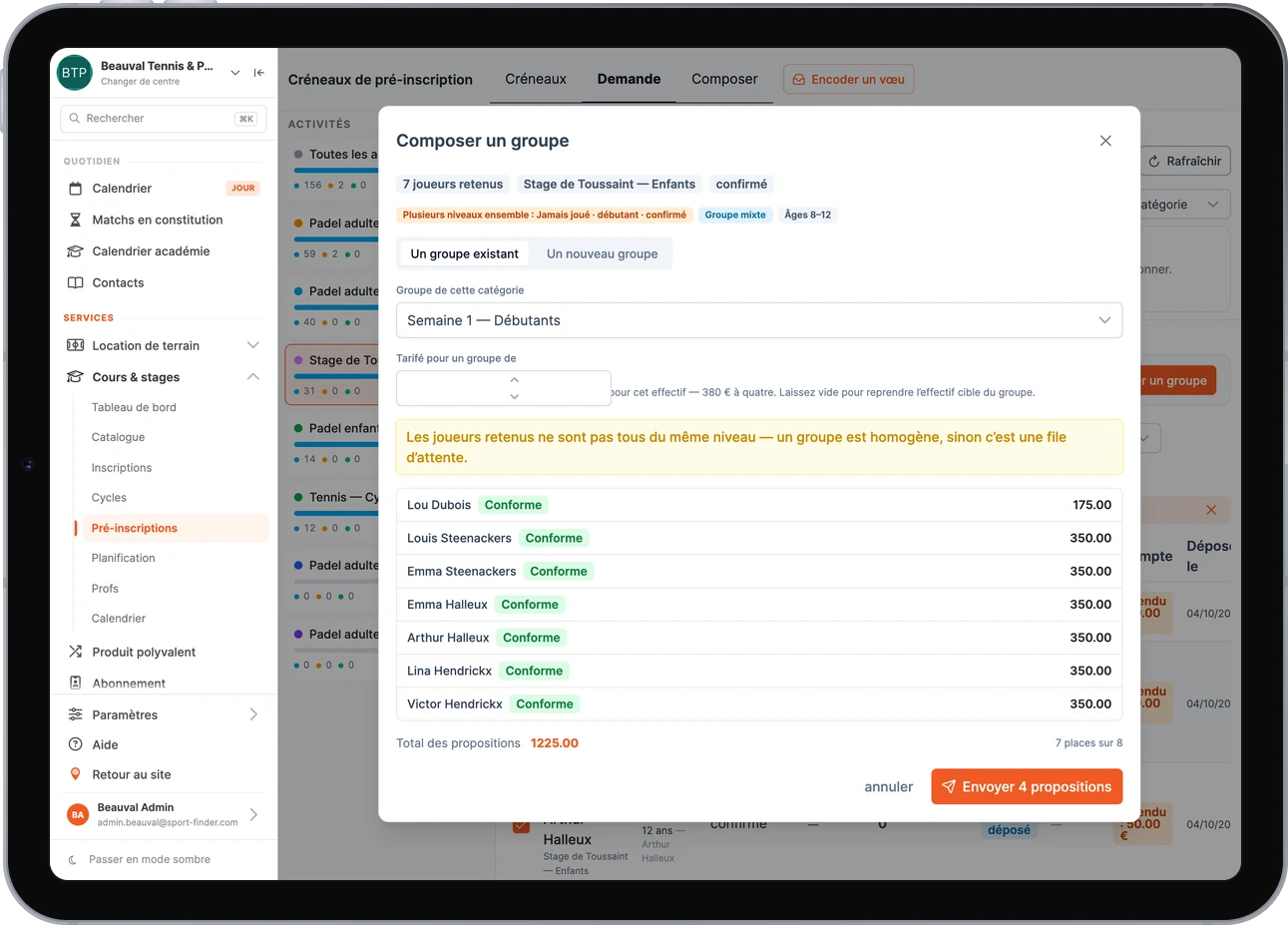
You pick players, and the software tells you whether the group holds up: mixed levels, numbers, offer matching or not. Then you send all the offers at once.
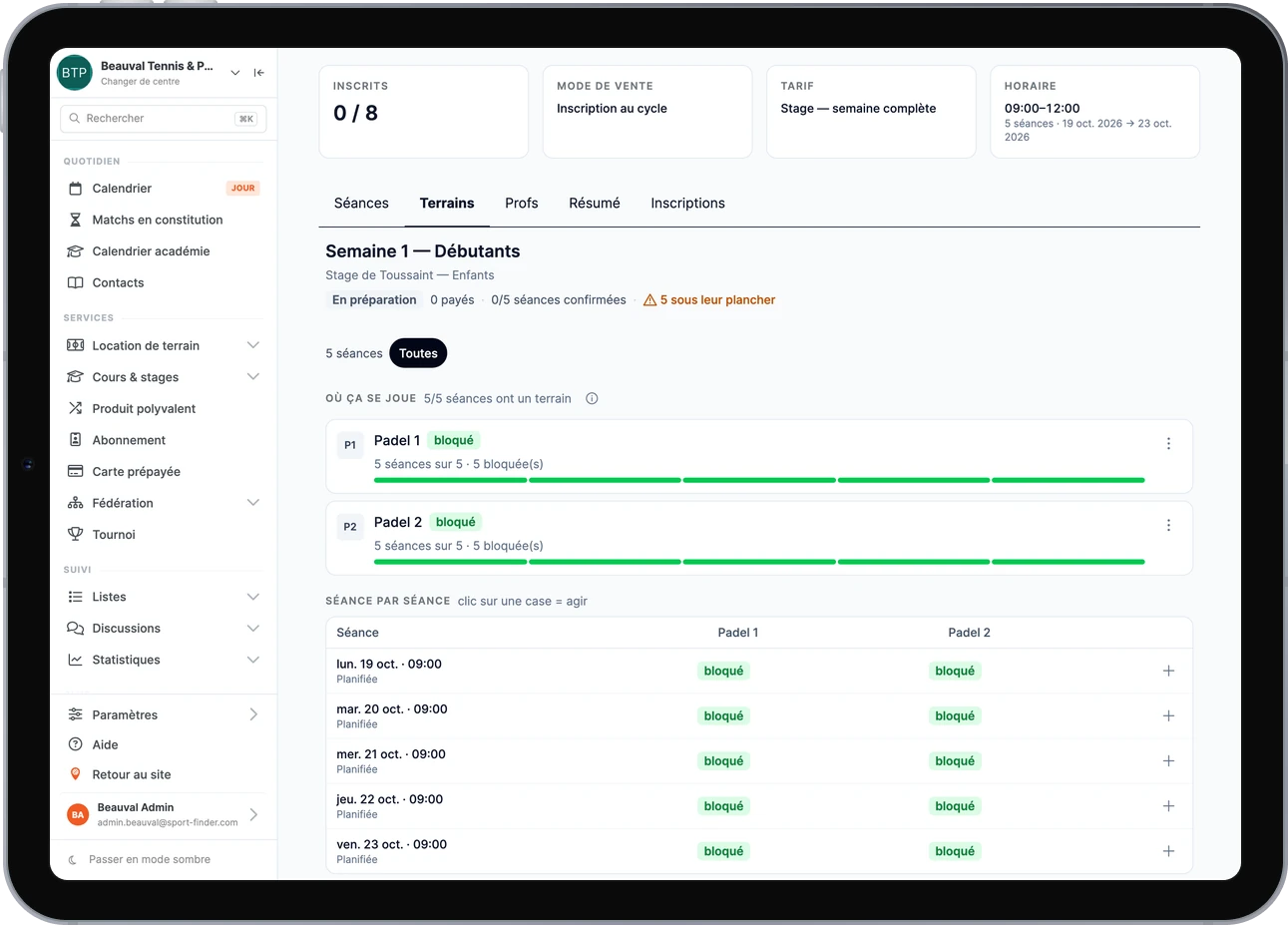
Each session holds its court, like a rental. Planned, it blocks nothing; blocked, nobody else can book it.
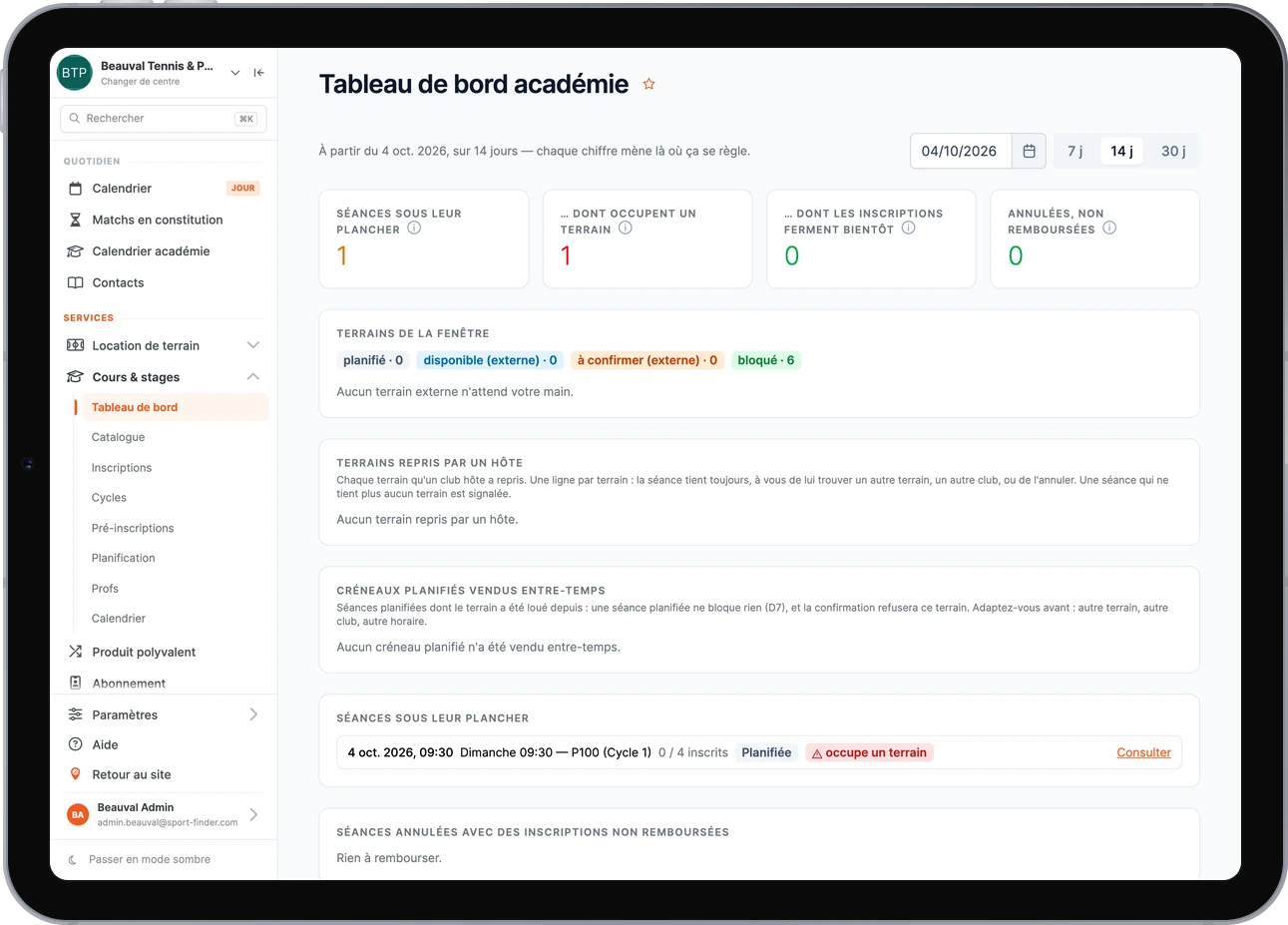
The next fortnight: what is short of students, what is holding a court, what is left to refund. Each figure leads to where it gets sorted.
Composing a season’s groups in a spreadsheet takes weeks. Here, it takes a few hours.
A lesson really occupies the court
- Numbers decide: each session has its floor. As soon as it is reached — online or front-desk registrations — the session confirms itself.
- A confirmed session blocks its court: your members can no longer book the hour that is being taught.
- While it is only planned, it blocks nothing: a season still being worked out does not cost you your week of courts. And you can block a group’s courts earlier, with one button, if you want to hold them.
- One single idea of “occupied”: lessons, rentals, tournaments and maintenance blocks all count in the same place. Nothing to reconcile between two timetables.
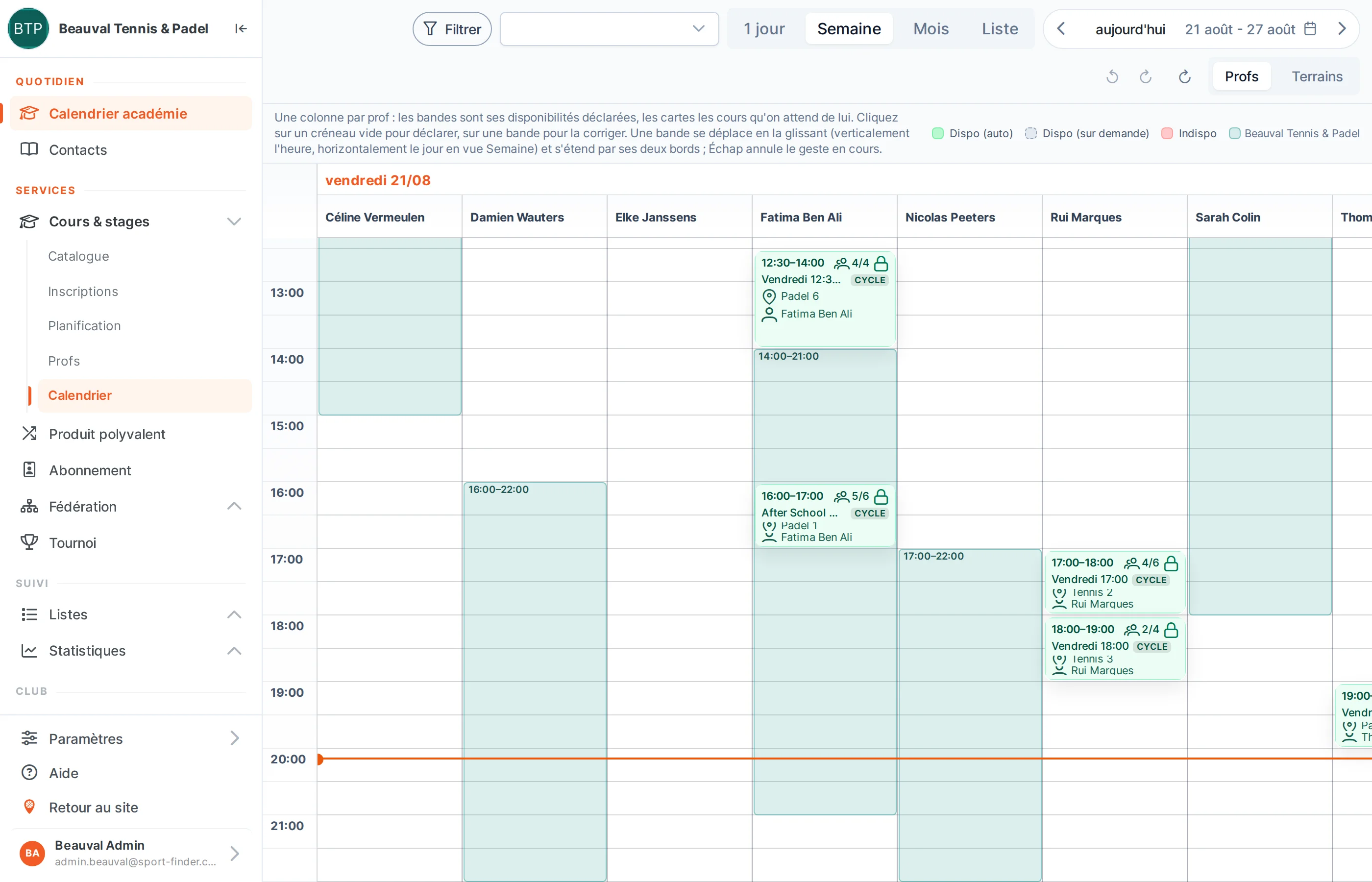
Each instructor has their own week
- Their availability, declared: agreed in advance for some hours, on request for others. A cover inside agreed hours confirms itself; elsewhere, it waits for their answer.
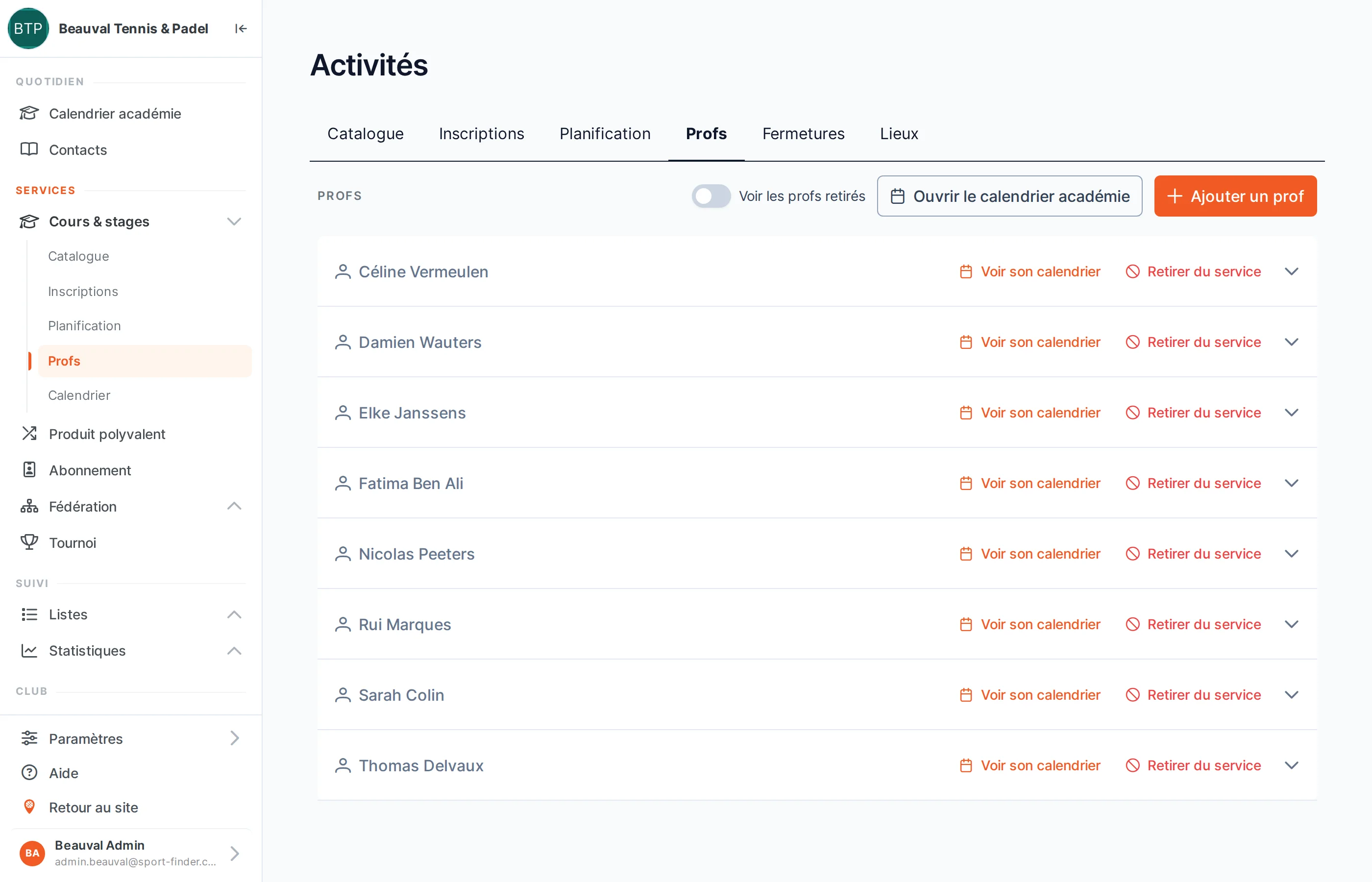
- Their own access, if they want it: they see their sessions and answer cover requests, without seeing the rest of the club.
- Their hours, counted: the monthly statement says how many hours they taught, and where.
A lesson is a court sold in advance
A school fills the hours that rentals leave empty: Wednesday afternoon, early evening, weekdays. And it fills them for a whole season, without anyone picking up a phone.
- Off-peak hours that become courses: your least-sold slots are the ones best suited to a regular lesson.
- Cash that arrives before the season: the deposit at pre-registration, the balance on acceptance.
- Players who find you: your lessons appear in the SportFinder search, by sport, region, age and day — enough to complete a group without chasing anyone.
What it means at your club, we work out together in the demo, on your data — our prices, for their part, are already published.
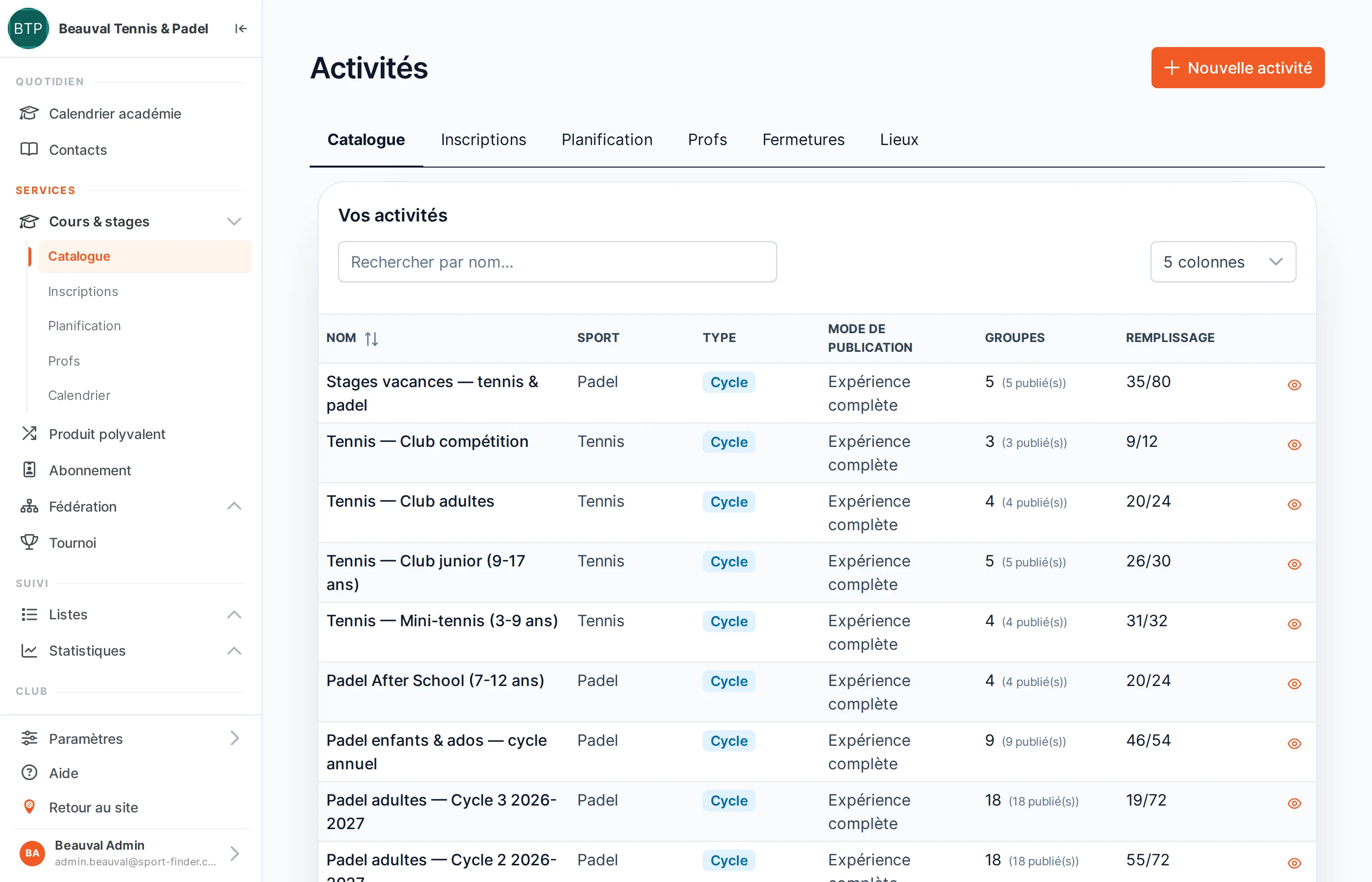
The module, screen by screen
In development
What follows is not delivered yet. We mention it because it is in preparation, not to sell it: nothing here is charged for, and nothing here has a date.
- Player progress tracked by their instructor: each instructor will note progress and points to work on, attached to the player’s record.
- Connected instructor calendars: instructors will connect their personal calendar, and their unavailability will drop out of the timetable on its own.
- Priority at a host club: beyond a deadline you set, the court at the venue hosting you will confirm without intervention.
Running a sports school
Do my students have to install anything?
No. Registration happens on your club’s page, on phone or computer: the player creates their account once, then finds all their lessons, dates, balances and cancellations under “My courses & camps”.
How do families pay?
Online, by card or Bancontact, or with the credit they already hold at your club. You can ask for a deposit at pre-registration, deducted from the price when the family accepts your offer. And if you prefer to take payment at reception, an activity can take online registrations without payment.
Will I know three days ahead whether my Tuesday lesson has enough students?
Yes. Each session has its floor, the number of places it needs to run, and it confirms itself as soon as that is reached. The academy dashboard lists, for the days ahead, the sessions still below it — and those already holding a court.
Does a lesson really block the court for rentals?
Yes, as soon as the session is confirmed: its court goes into the same engine as your rentals, tournaments and maintenance blocks, and nobody else can book it. While it is only planned, the court is shown without blocking anything — and you can block it earlier, with one button, if you want to hold it.
Fixed slots or free ranges — do I have to choose?
It is a setting of the season. Either you publish your slots and players tick and rank them. Or you open wider ranges, your players paint the hours when they are free, and you see where demand really lies before fixing the timetable.
What if a family turns down the place we offer?
The place goes back into your composition. What decides the fate of the deposit is whether the offer matched: if your offer respected what the family had declared, the club keeps the deposit; if not, it is refunded. The software tells you, before sending, whether an offer matches.
Can two friends be in the same group?
Yes, you place them together when you compose. However, families cannot yet link their request to a friend’s: you stay in control.
Can I use my own level system?
Federation rankings are already set up: the player chooses their line when signing up, and when they are ranked, their level is read at the source and then frozen. For your beginners, you can also create your own scale.
What about school holidays?
You declare your closures once. While you set up a season, the dates they cover are unticked automatically; afterwards, the calendar flags the sessions that fall within them. A closure warns, it never deletes a session — a camp that runs precisely during the holidays needs no exception.
Do parents have to create an account for each child?
No. The parent adds their children to their family, with their date of birth, and signs them up from their own account. A child needs neither an email address nor a password — and if they claim their own account later, they keep their registrations.
Do my instructors get access to the software?
If they want it. An instructor can be just a name on the timetable, or have their own access: they see their sessions, declare their availability and answer the cover requests sent to them, without seeing the rest of the club. At the end of the month, their statement shows how many hours they taught.
My academy teaches at several clubs. Does that work?
Yes: your groups are in one place, and the calendar draws the courts of every club where you teach, including a venue that is not on SportFinder. The club hosting you sees its hours taken, without seeing your students or your prices. One point of honesty: the back office opens per club, so an academy needs to be attached to at least one club on the platform — we look at your case in the demo.
The module lives in the same back office as everything else: online booking, payments and statistics apply to your lessons too.
30 minutes to compose a camp with us
Bring your academy’s spreadsheet: we open a camp, watch the requests come in and compose a group in front of you, with your levels and your courts. You will see what it gives before deciding anything.