

Your sales and contact lists: the filters stay in view
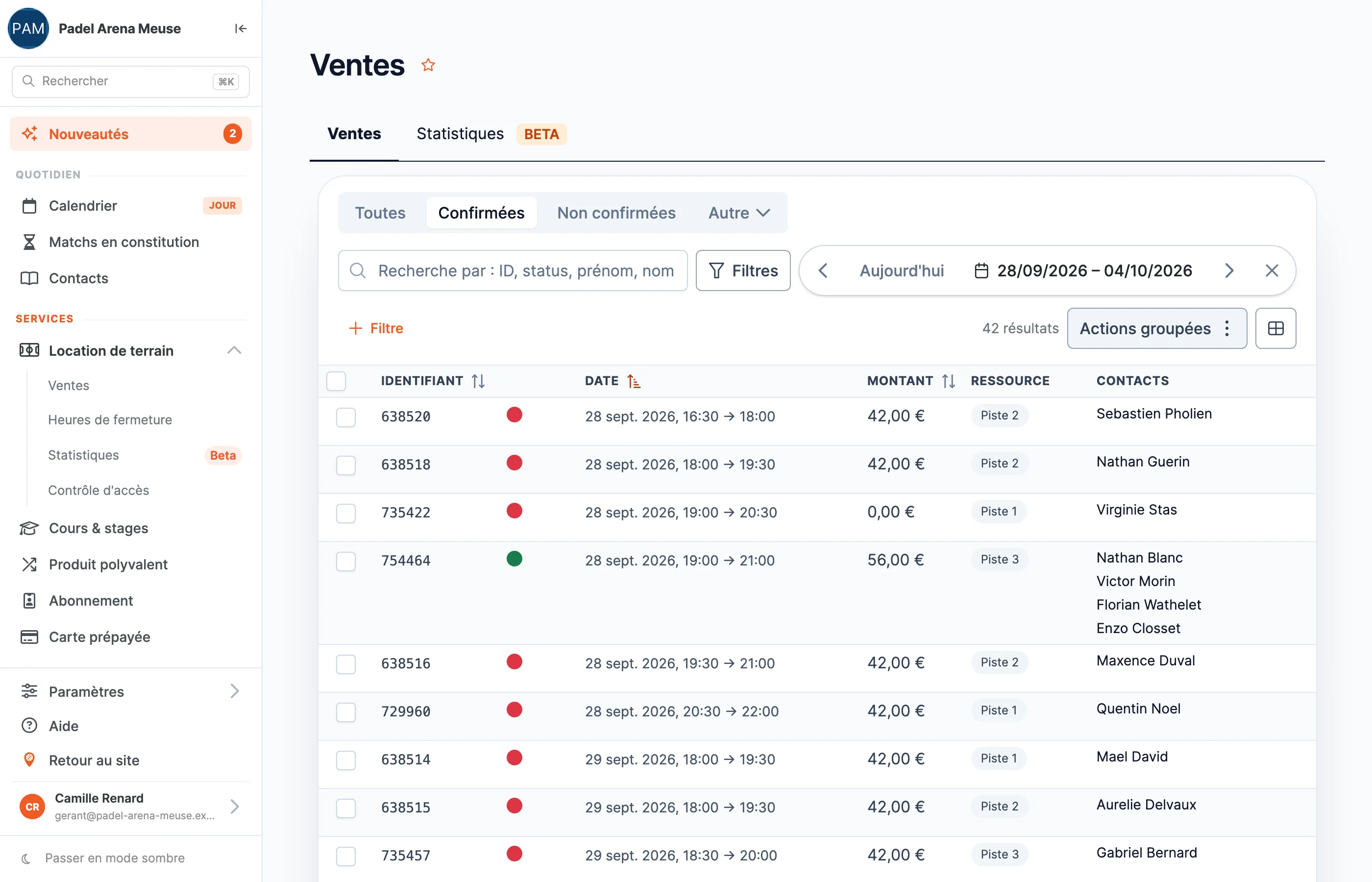
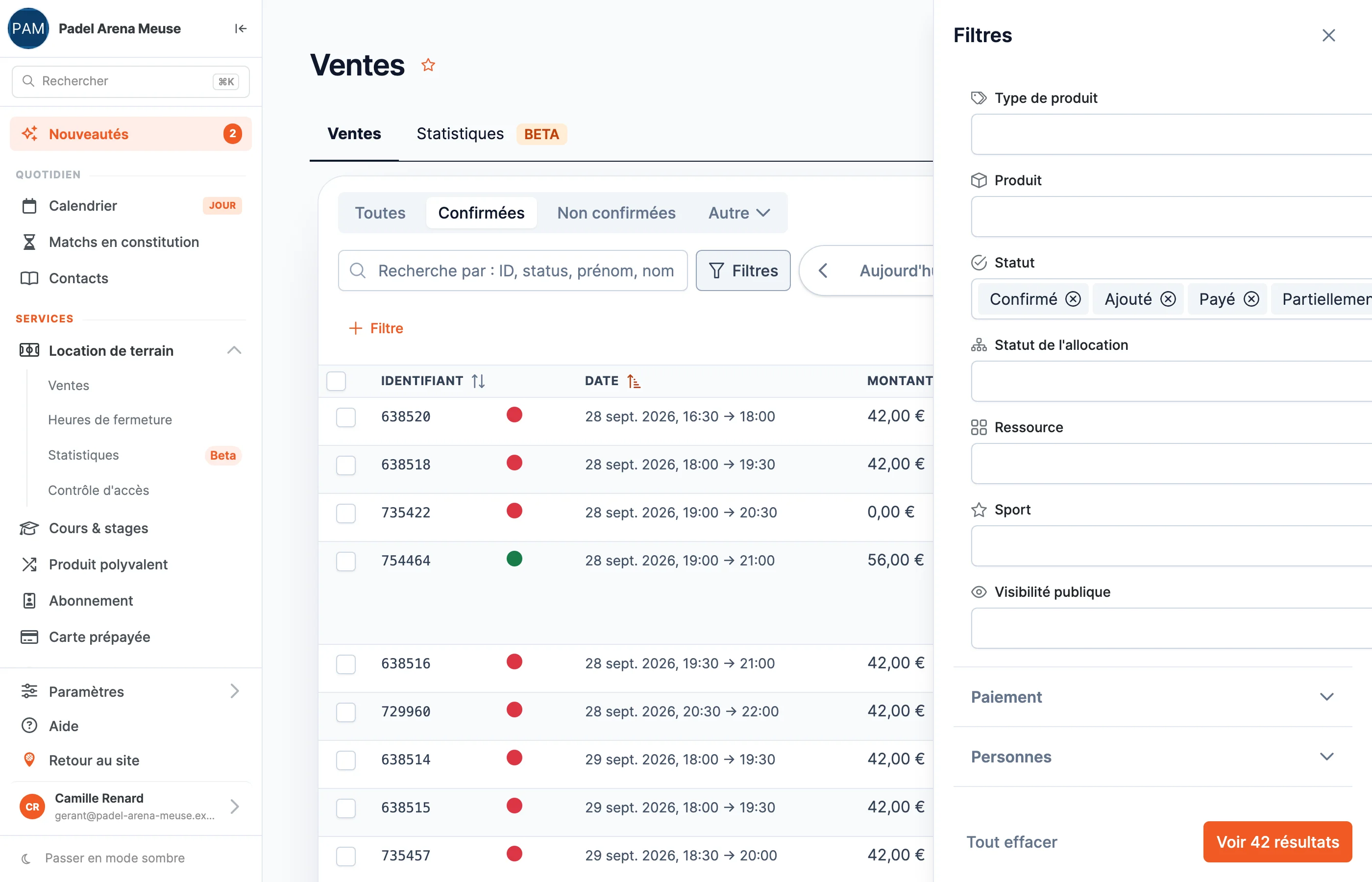
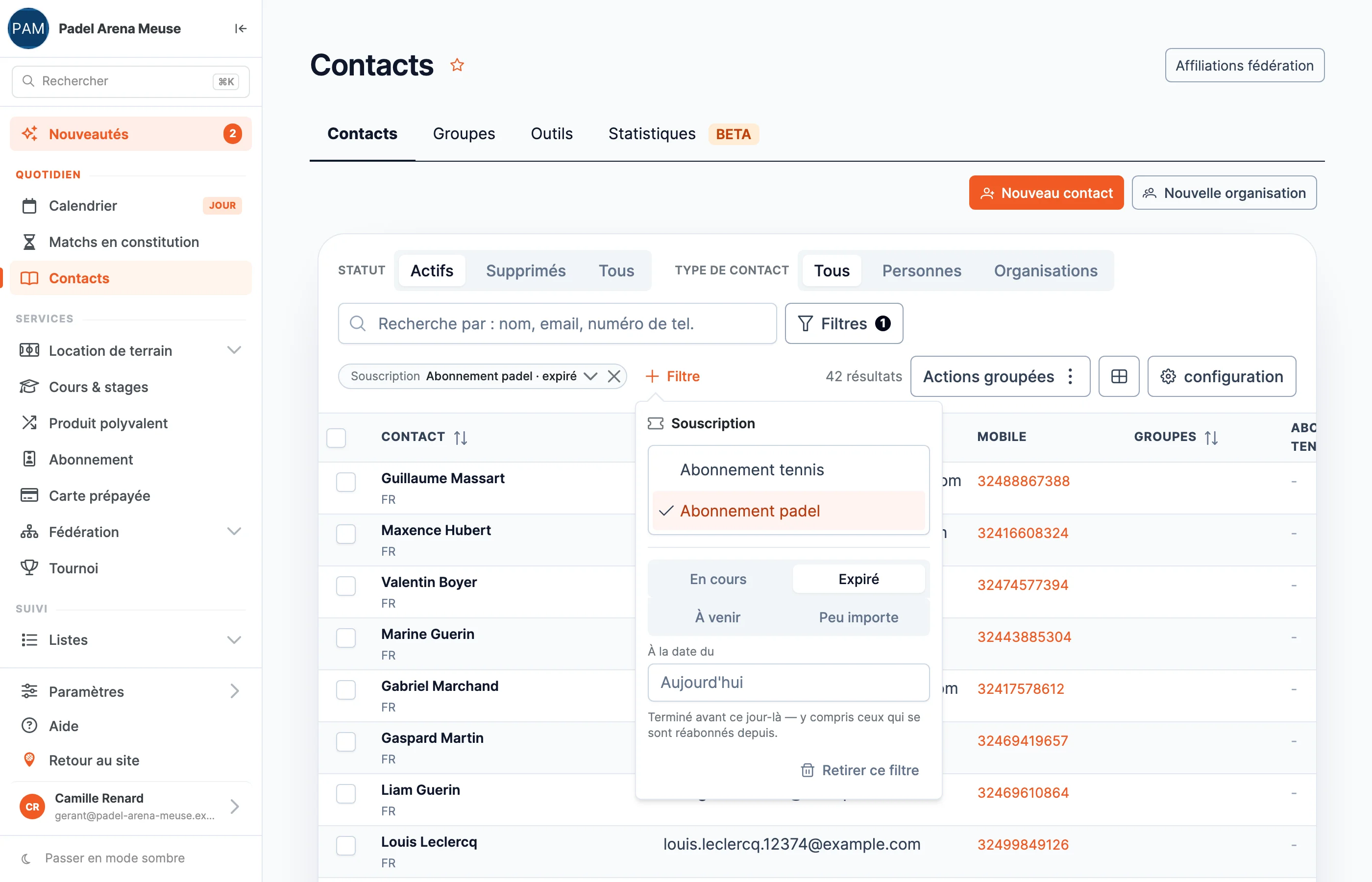
Filtering a list used to open a window that hid the list itself, and you were never quite sure what was being filtered. The sales and contact lists have been redesigned: filters appear as chips above the list, and change in one click.
What your club gains
- Your figures for the week, without exporting. Sales can be browsed day by day, week by week or month by month, with two arrows.
- Statuses in one click. All, confirmed, unconfirmed: the bookings to keep an eye on sit above the list, not in a menu.
- Your members on a given date. Who had a current membership, who no longer did, who was about to start: you choose the membership, the status and the day. Handy for preparing the season ahead.
- On mobile too. On a small screen, rows become readable cards.
What it looks like
Back-office screenshots, taken on our demonstration club.
See your own lists
In a demo, we start from what you track in your spreadsheets today, and show you where to find it.
Book a demo