

The club’s paperwork, in the same place as its members
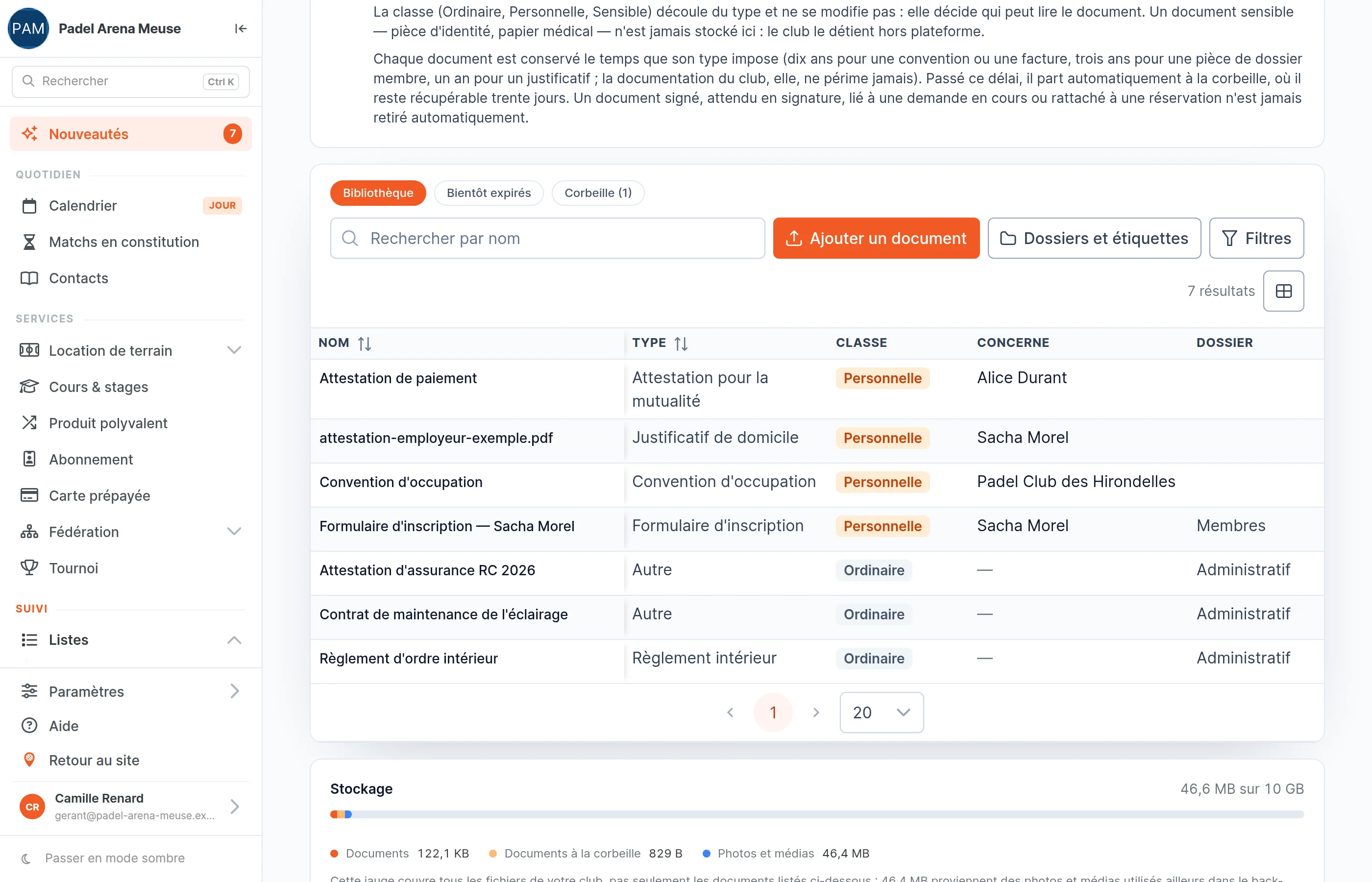
Rules, contracts, insurance, registration forms: everything is filed in the back office, attached to the person it concerns, requested and signed online. Your members find their papers in their SportFinder area, with no attachment lost in a mailbox.
A tidy filing cabinet, found again in two clicks
- Every document has its type: club rules, registration form, invoice, insurance certificate… The list explains each type, so you have nothing to invent.
- It is attached to the person it concerns — a member, a customer or a club among your contacts. You also find it on their record, in the Documents tab.
- File things your way, by folder and by colour tag, then filter by type, folder, tag or signature.
- Members see their own papers in their SportFinder area, and nothing else. Sharing sends them an email with no attachment, pointing them to their area.
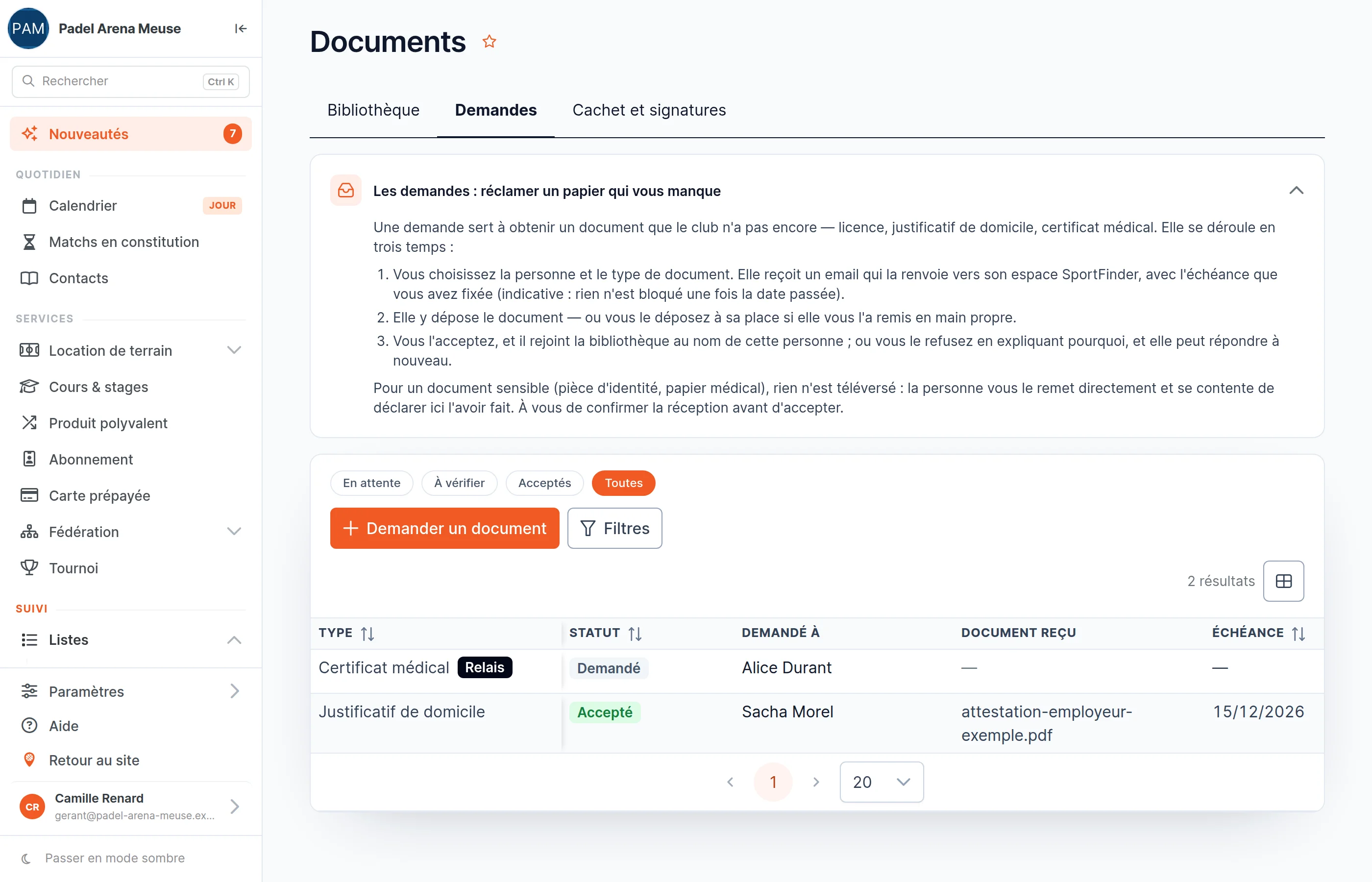
Ask for the document, instead of chasing it
- A proof, a form, a certificate? Choose the member, the type and a deadline: they receive an email and upload the document from their area.
- You accept or refuse, with a reason the member receives. An accepted document joins the library, in their name.
- Everything is tracked in one list: Requested, To review, Accepted, Refused, and the “Overdue” tag once the deadline has passed. Sending a reminder is one click.
- The paper arrives at the front desk? File it on the member’s behalf: the request moves forward all the same, and the history says who filed it.
An identity card never leaves your front desk
Identity document, medical certificate, medical form: SportFinder never keeps the file. You can still request them. The member hands the document to the club, declares it in their area, and you confirm you received it: the back office keeps only the trace of the request.
- No document travels as an attachment. Sharing, request and signature emails point to the member’s area, where the document opens only for them.
- Every opening is logged. For a personal document, the history records who opened or downloaded it, and when.
- Access follows your team’s roles: accounting can view, only managers file, request and send for signature.
Get things signed without a printer
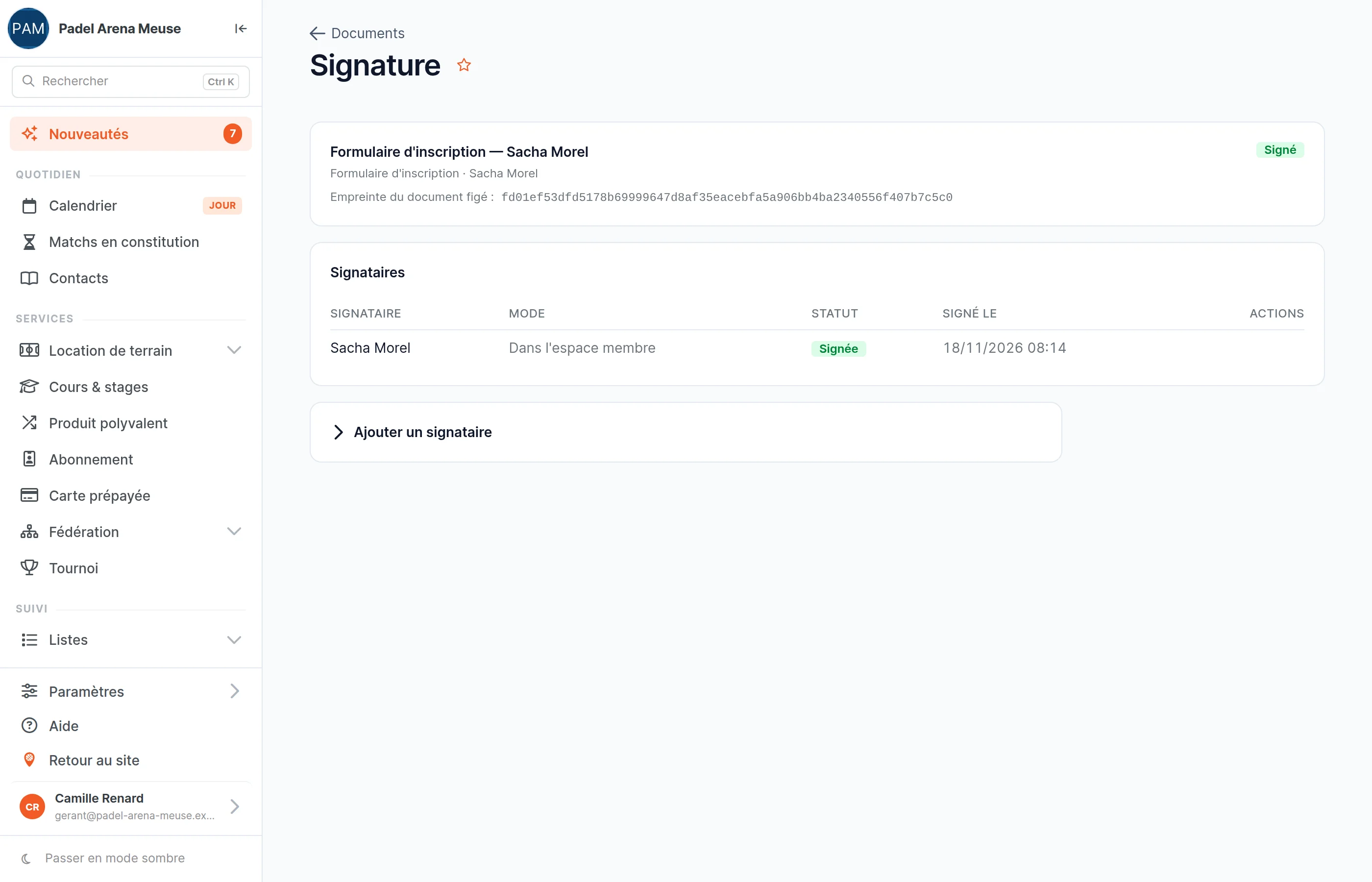
- Send a document from the library for signature. The person reads it in their area, ticks that they accept it and types their name.
- Every signature is time-stamped and confirmed by email. The document is frozen as soon as it is sent: a fingerprint proves that everyone signed the same version.
- Several signatories, a member, a customer, a club or a colleague: you see who has signed, and you send a reminder to the others.
- Does the member prefer to sign at the club? Choose “Off platform”: they sign on paper, you file the scan and record the signature.
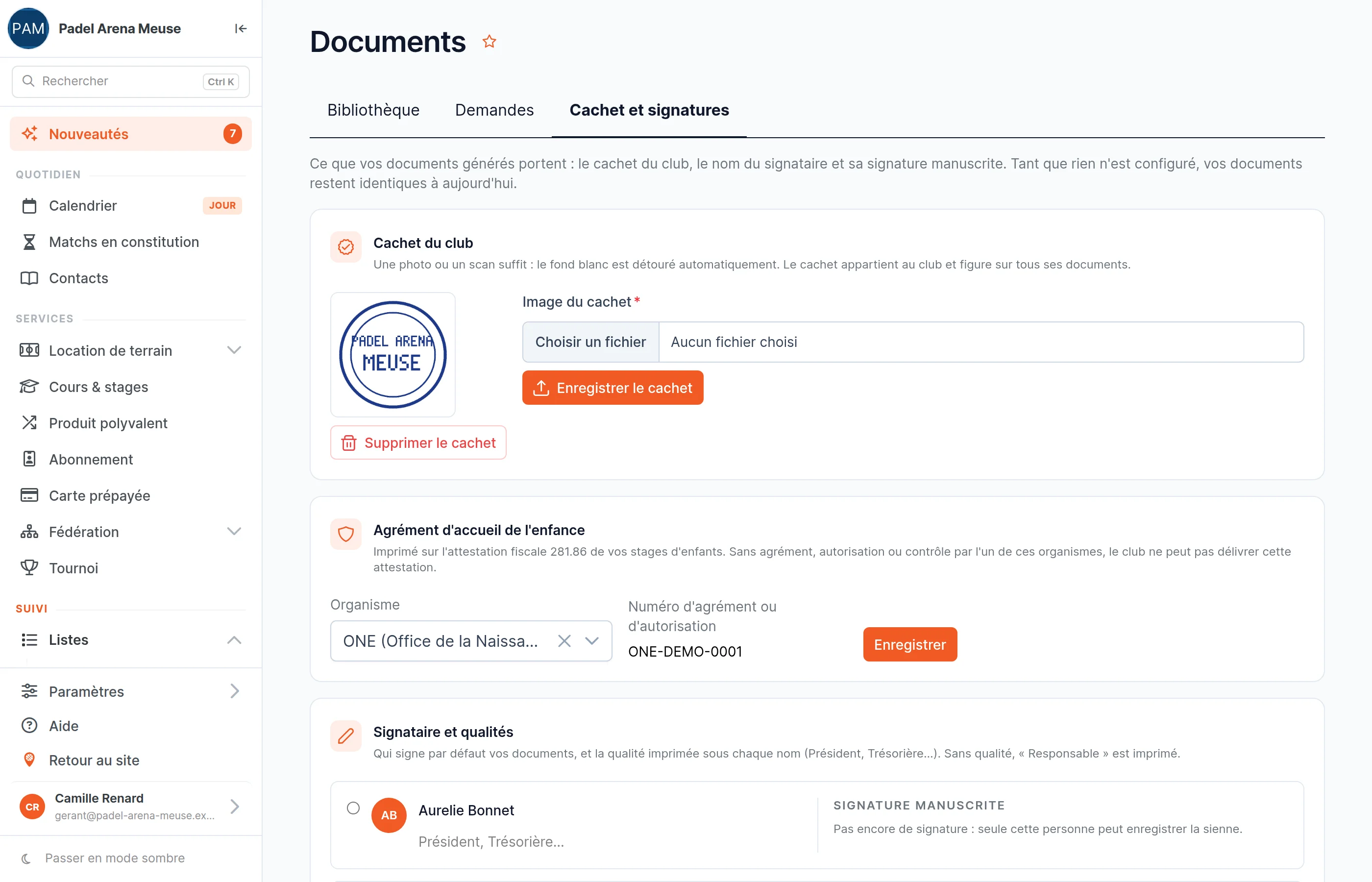
The club stamp and the chair’s signature, once and for all
- Upload a photo of the stamp: the white background is removed automatically.
- Choose who signs and in what capacity: Chair, Treasurer, Manager…
- The signatory draws their signature once, with a mouse or a finger on a tablet. Nobody can sign in their place.
- The occupancy agreements SportFinder produces for you then come out with the stamp and the signature, with no trip to the printer.
Health insurance fund certificates, without writing them
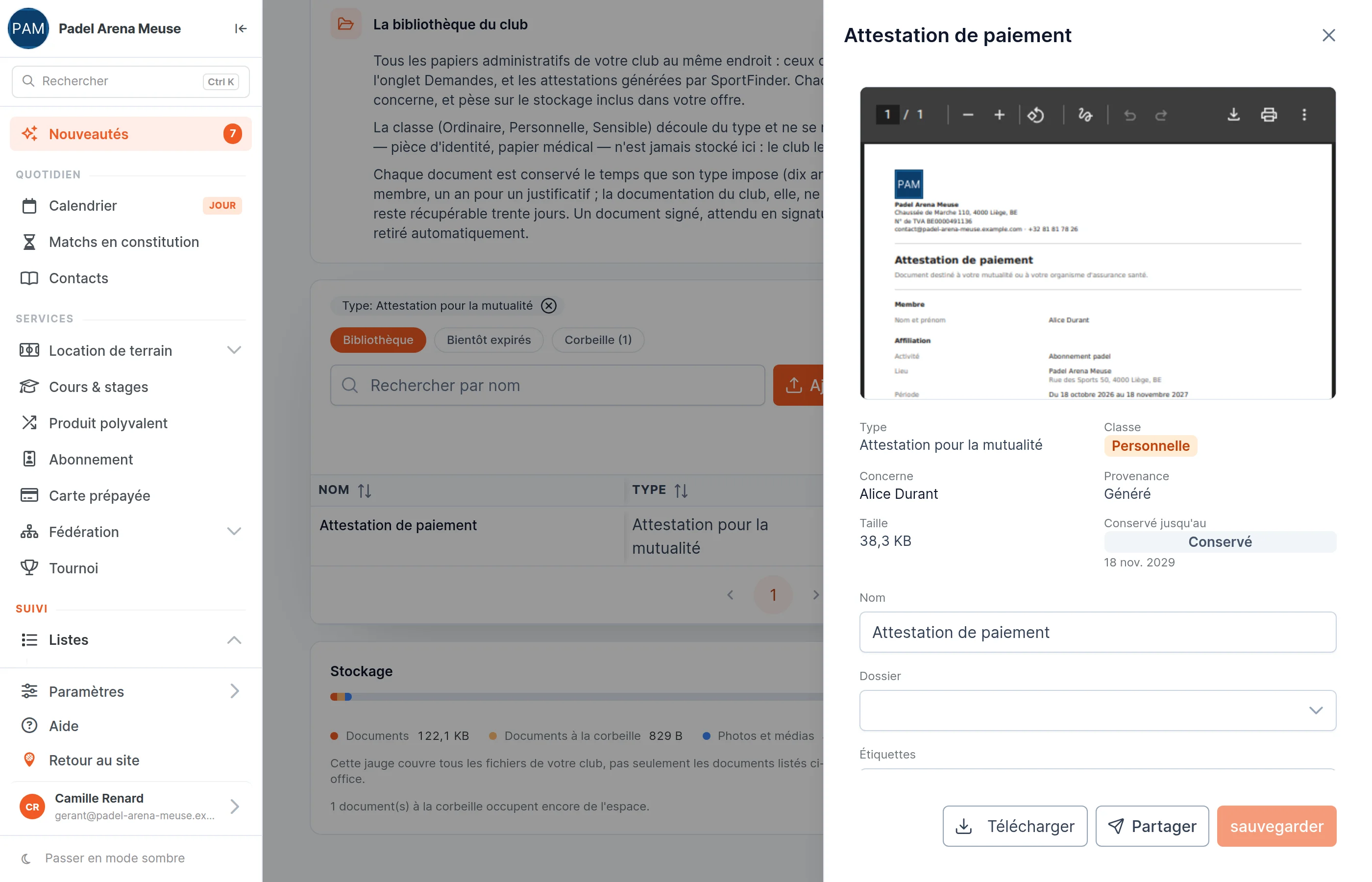
- The payment attestation for the health insurance fund is generated in one click for a membership, a licence, a camp or a paid lesson, as a PDF, in the member’s language.
- Members generate it themselves from their bookings. You no longer have requests to handle one by one.
- The 281.86 tax certificate for children’s camps is calculated from the camps paid during the year, child by child, in French, Dutch or German. National register numbers are never displayed again.
- These certificates can be issued even without the Documents service; with it, they carry your stamp and your signature.
Do you run camps? Registrations and certificates are followed in the academy module.
Every paper keeps its own lifespan, then leaves on its own
Each type of document has its own retention period. Once it has passed, the document goes to the trash, from where you can restore it if you still need it. A document being signed, linked to an open request or to a sale stays in place.
| Period | Document types |
|---|---|
| 10 years | Occupancy agreement, invoice |
| 7 years | 281.86 tax certificate |
| 3 years | Registration form, health insurance fund attestation |
| 1 year | Proof of residence |
| No limit | Club rules, brochure, other |
A deleted document stays 30 days in the trash. The “Expiring soon” preset shows those whose date falls within the next 90 days, and a gauge under the list tracks the club’s storage space.
Occupancy agreements have their own page
A resident club, a tennis school that occupies your courts all season: the agreement is composed, accepted and signed online, then the season goes into the planning in one click.
See occupancy agreementsYour questions about documents
Do my members have to install anything?
No. They find their documents, their requests and what they have to sign in “My documents”, in their SportFinder area — the one they already use to book. An email lets them know when you share a document, request one or send them one to sign.
Can I store a member’s identity card or medical certificate?
No, and that is deliberate: SportFinder never keeps the file of an identity document or a medical document. You can request them: the member hands them directly to the club, declares it in their area, and you confirm receipt. Only the trace of the request remains in the back office.
Does an online signature carry any weight?
Every signature is time-stamped, linked to the account of the person signing and confirmed by an email. The document is frozen as soon as it is sent for signature, and a fingerprint proves it has not been modified since. For a document that must be signed by hand, the “Off platform” mode lets you have it signed at the club and file the scan.
Who in my team can see the documents?
The owner, administrators and managers file, request and send for signature; billing and accounting can view. Other roles have no access, unless you grant the right in a custom role. The person designated to sign a document always signs it, even without access to the rest.
Am I notified when a member uploads or signs a document?
Not by email: the “To review” preset in Requests and the Signature column of the library show you what is waiting. You send a member a reminder in one click once a deadline has passed.
Do health insurance fund certificates require this service?
In Belgium, any club can issue the payment attestation for the health insurance fund and, if it is approved for childcare, the 281.86 tax certificate for children’s camps. The Documents service adds your stamp and your signature to these certificates, and files them in your library.
Shall we sort your filing cabinets together?
In the demo, we start from the papers your club handles today: what you ask your members for, what you have signed, what you keep.