

Your resident clubs’ agreement, from proposal to planning
A club that uses your courts on Tuesday and Thursday evenings, a tennis school with its slots all season: their occupancy is governed by an agreement. In SportFinder, you compose the slots and the price, the club accepts from its area, everyone signs online, and the entire season goes into your planning in one click.
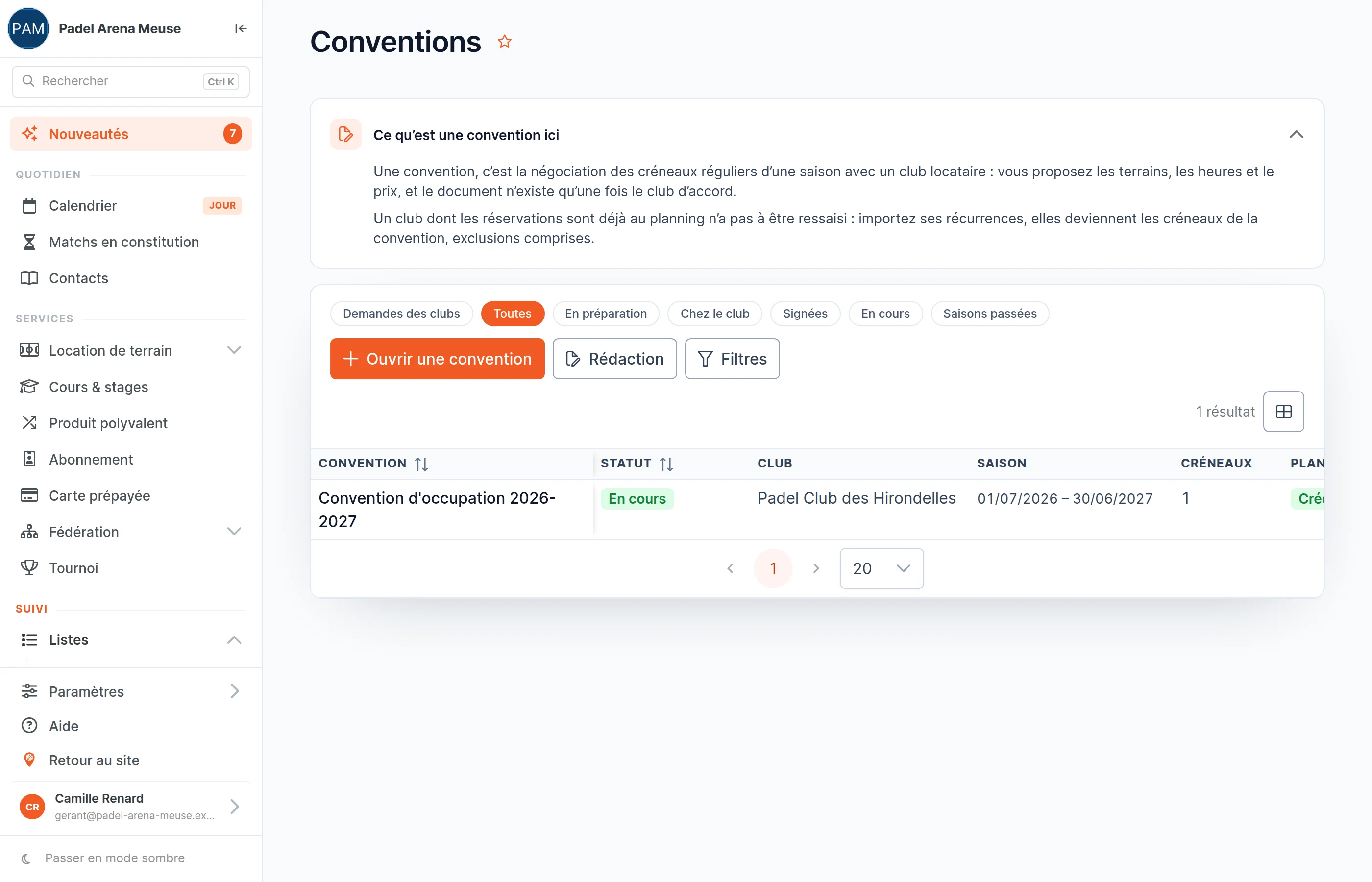
All your agreements, and where they stand
- One list, one status per agreement: draft, proposed, accepted, signed, running, archived.
- Clubs’ requests arrive there too. A club can ask you for an agreement from its area: the season, the discipline, the volume, the days. Taking one up commits you to nothing.
- Follow what is waiting on the club with the “With the club” preset.
Compose the club’s season, slot by slot
- Courts, days, hours, period, and a rhythm if the club only comes every other week.
- Remove what does not count: school holidays, public holidays, centre closures, or dates picked by hand.
- The negotiated price: a total for the season, a price per slot or your price grid — or zero, for free occupancy. Excluding VAT, VAT and including VAT are calculated for you.
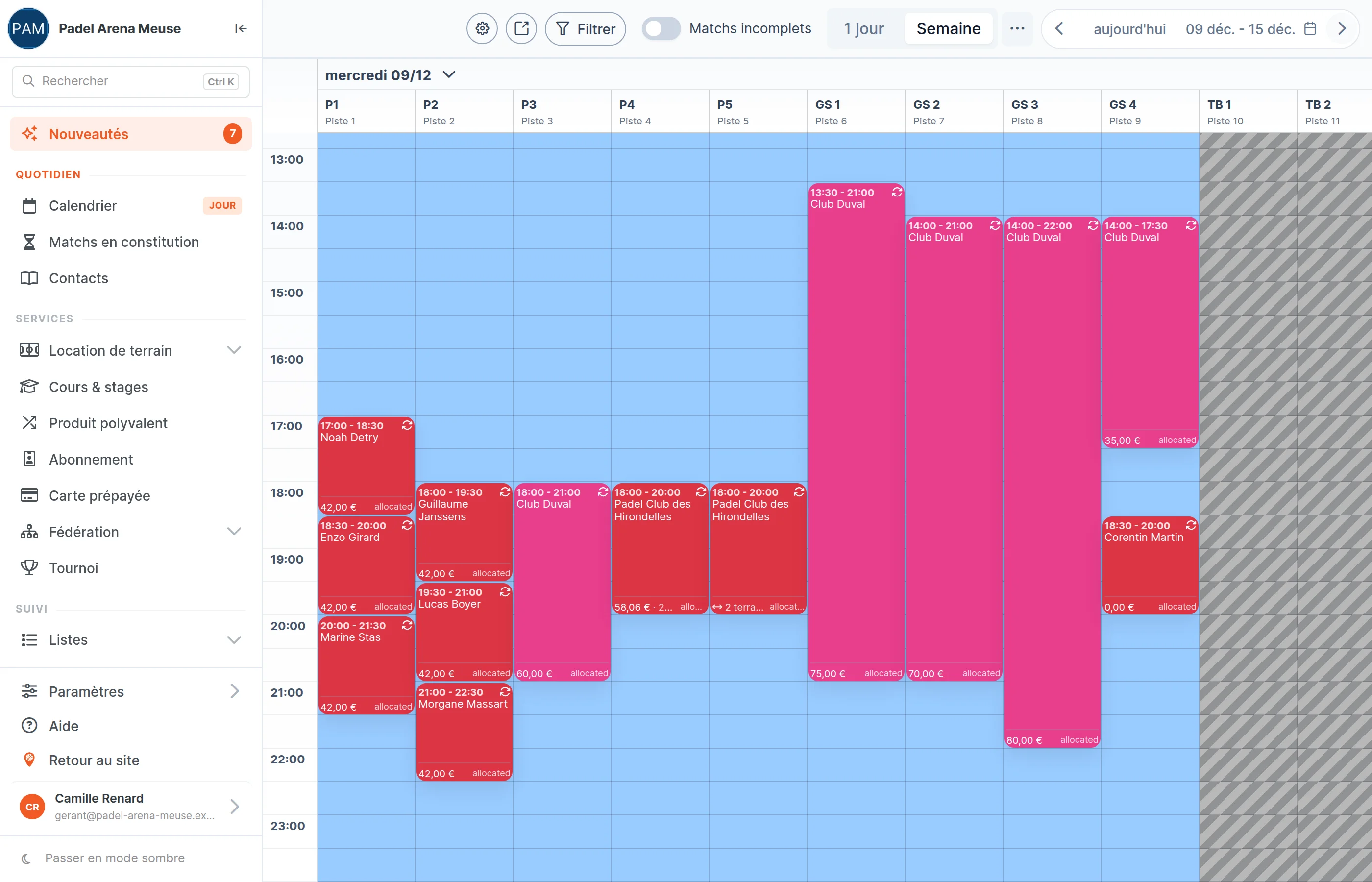
- Does the club already use your courts? “Import from the planning” turns its recurring bookings into the agreement’s slots. And if a slot is already taken, the record flags it.
Your clauses, written once and for all
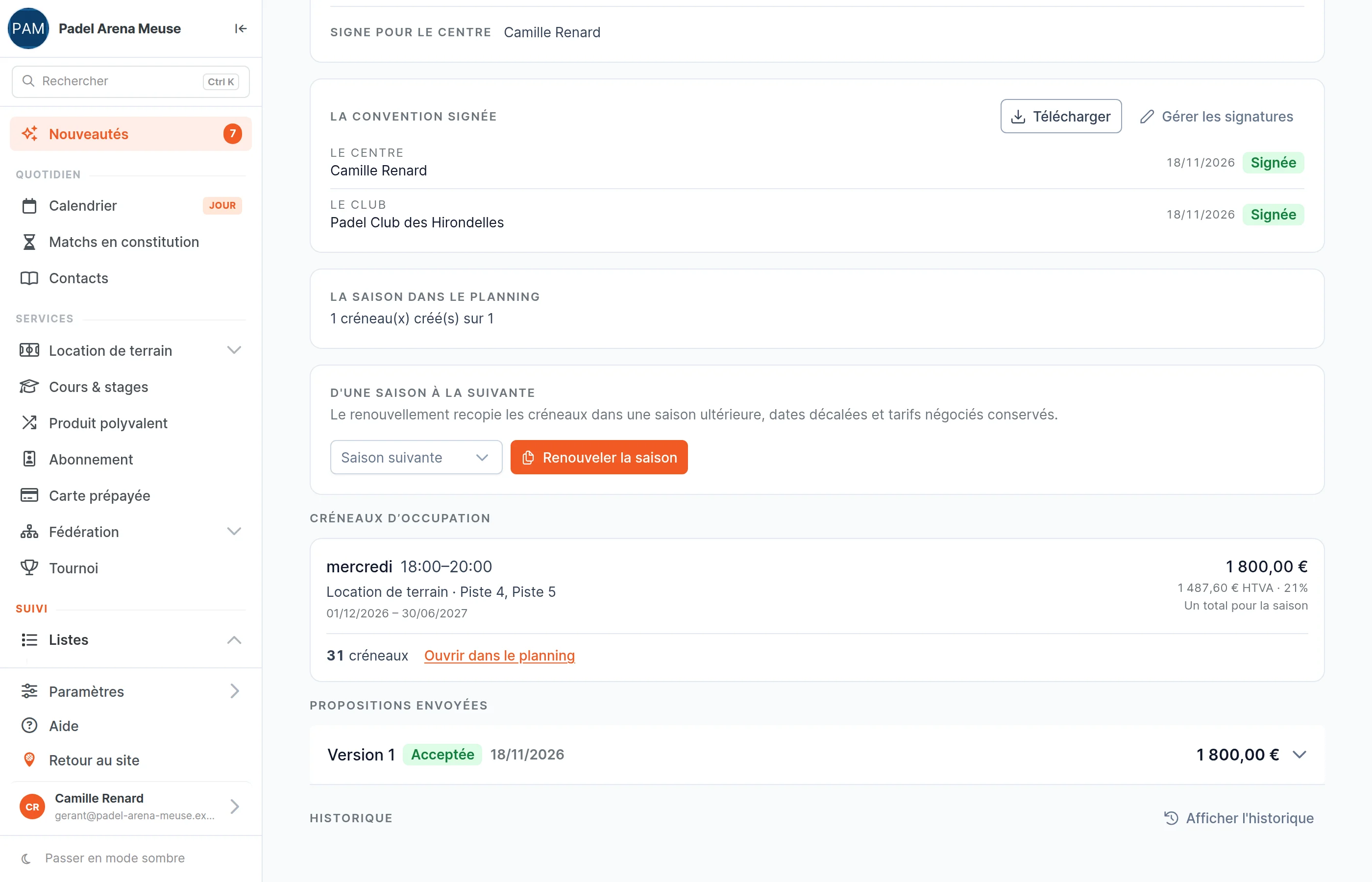
- Your specific conditions — supervision, insurance, keys, damage — and your payment terms, shared by all your agreements.
- The parties, the premises, the slots and the amounts write themselves from the agreement: you never retype them.
- In the club’s language: you write your clauses in each language, and the agreement comes out in that of the tenant club.
- A signed agreement keeps the wording it was signed with.
Sent, accepted, signed, scheduled
Four steps, with no paper going back and forth between the centre and the club.
Both signatures, tracked on the agreement
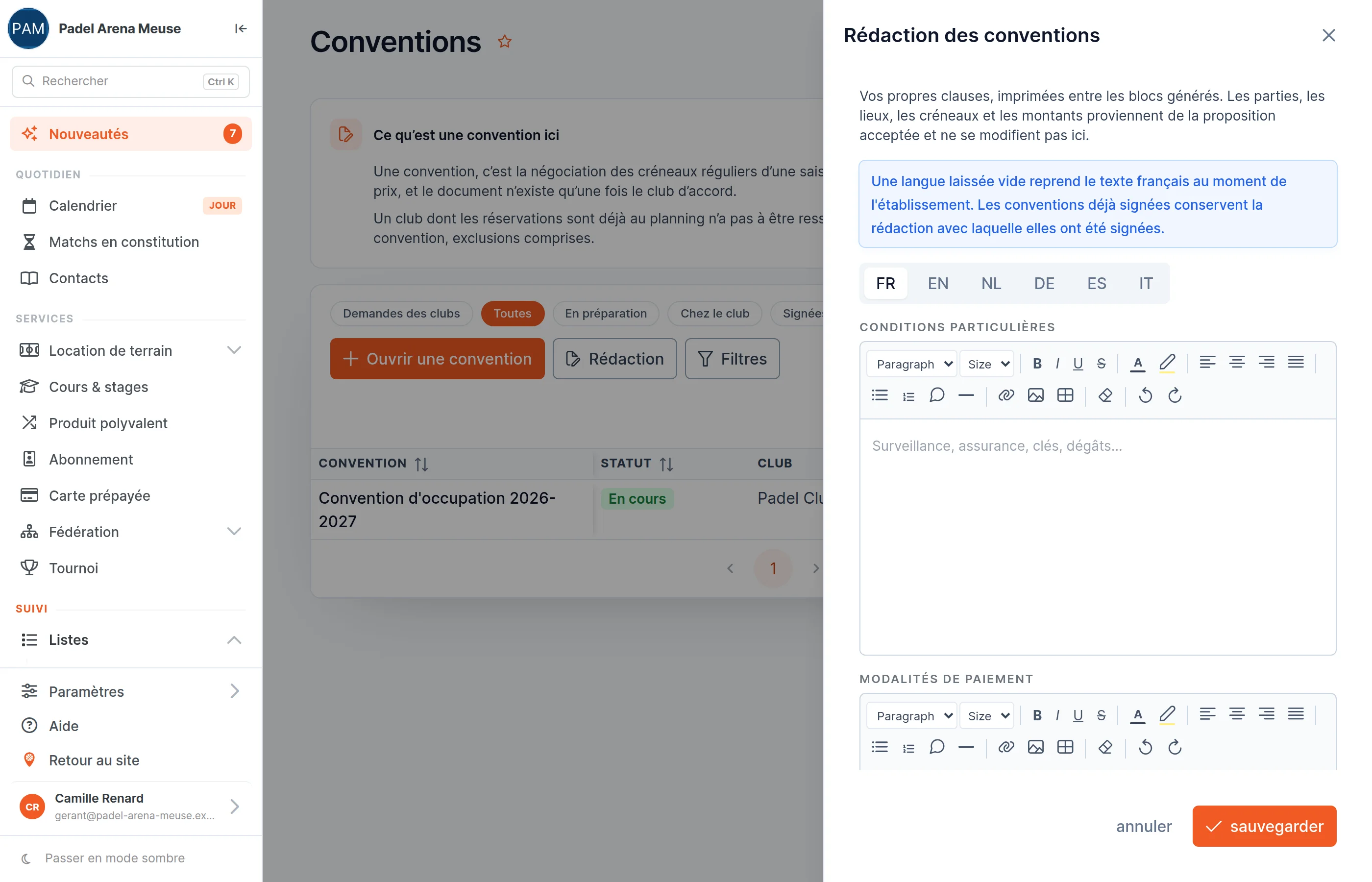
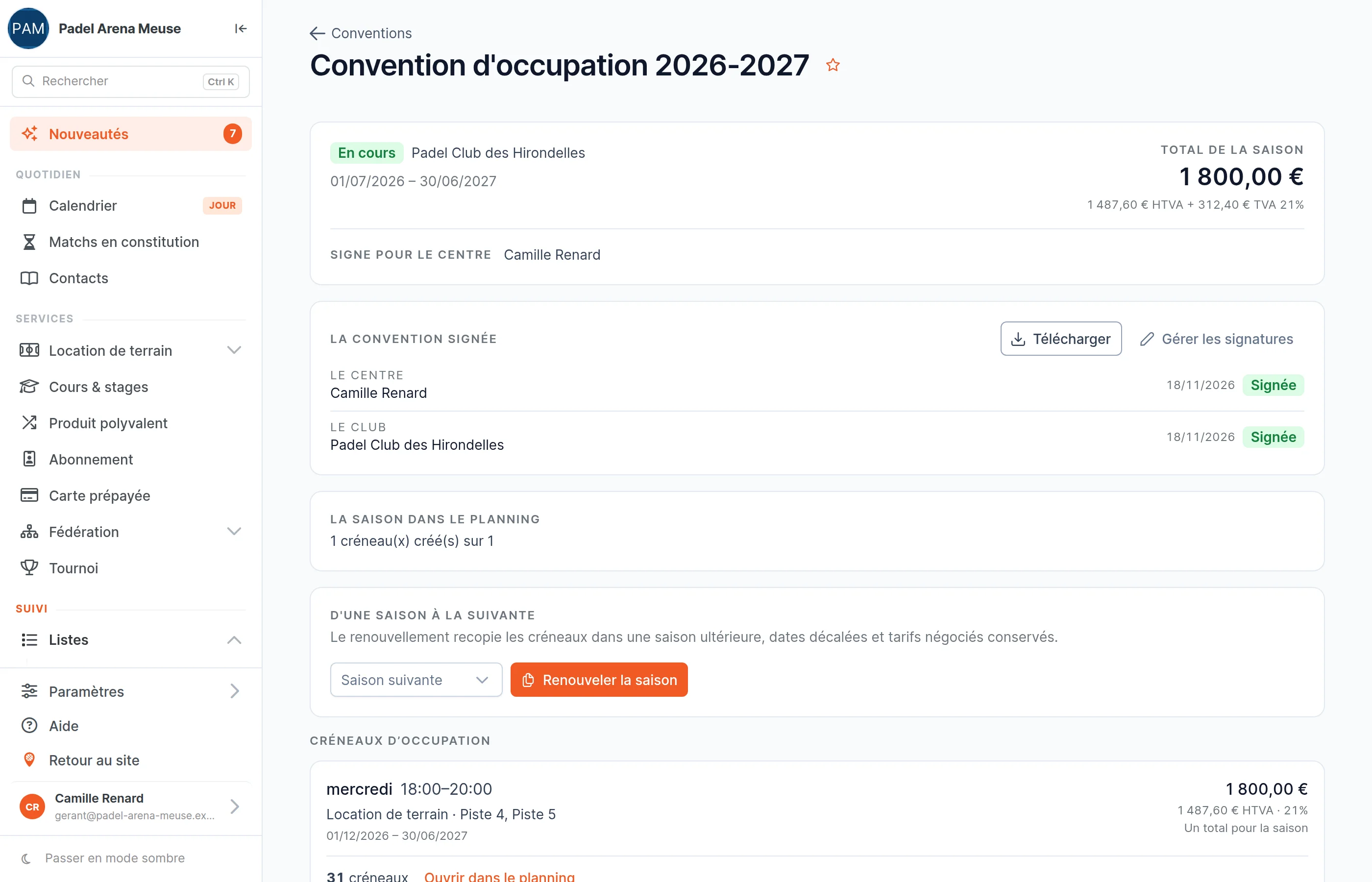
- Who has to sign, who has signed, and when: every signature is time-stamped.
- The signed PDF can be downloaded from the agreement, and it files itself in your documents.
- Nothing goes into the planning until both parties have signed.
What the club using your courts sees
- No need to be a SportFinder customer. Its officers have a free SportFinder account, the one used to book a court.
- Everything is in “My agreements”: proposals to accept, agreements to sign, and the button to ask you for one.
- Clear amounts, excluding VAT, VAT and including VAT, in the club’s language.
Renew, instead of starting again
“Renew the season” copies the slots into the following season, with dates shifted and negotiated prices kept. The new agreement starts again as a draft: you read it over, then send it. Anything that could not be carried over as it was is flagged to you.
Agreements are filed in the club’s library, with its other documents.
Your questions about agreements
Does the club that uses my courts have to use SportFinder?
It does not have to be a customer. It is enough for one of its officers (owner or administrator of the club among your contacts) to have a free SportFinder account and an email address: that person accepts and signs for their club, from their area.
What happens if a slot is already taken?
The agreement record flags it while you compose the slots, without blocking you. When the recurrences are created, a taken slot is flagged and the others are created: you stay in control.
Are bookings created as soon as the club accepts?
No. Nothing goes into the planning until both parties have signed. After that, one click on “Create the recurrences” creates the whole season, in the club’s name.
Can the club decline or negotiate?
Yes. It declines with a reason, which you see on the record. You reopen the terms, adjust the slots or the price, and send a new version.
Does the agreement replace the invoice?
No. The negotiated amounts are printed on the agreement; invoicing the club is done as usual, outside the agreement.
What language is the agreement written in?
In that of the tenant club, otherwise in that of your centre. Your clauses are written in each language; a language left empty falls back to your French text.
Your resident clubs, season by season
In the demo, we start from your current agreements: the clubs, their slots, your clauses.